Creating a survey sounds simple. Write a few questions, send them to people, and collect the answers.
In practice, a useful survey requires more thought.
The questions need to be clear. You need to reach the right audience. The survey should be easy to complete on both desktop and mobile. Most importantly, you need to know what you will do with the answers once they arrive.
SurveyMonkey gives you tools for the entire process, from creating your first questionnaire to applying logic, distributing the survey, filtering responses, and creating reports.
The good news is that you do not need to be a researcher or data analyst to get started.
In this tutorial, you will learn how to use SurveyMonkey step by step, including how to create surveys from scratch, use templates, write different question types, add skip logic and piping, customize the design, collect responses, and analyze your results.
By the end, you should be able to build a professional survey without guessing your way through the process.
Preparation Phase: What to Do Before Creating a Survey
One of the biggest survey mistakes happens before the first question is even written.
People open SurveyMonkey, immediately start adding questions, and only later decide what information they actually need.
A better approach is to spend a few minutes planning the survey first.
Define Your Survey Goal
Start with one simple question:
What decision will I make using the survey results?
Your answer should be specific.
For example:
Bad goal:
“Learn about our customers.”
Better goal:
“Understand why customers cancel their subscriptions.”
Even better:
“Identify the three most common reasons customers cancel so we can prioritize retention improvements.”
The more specific your objective is, the easier it becomes to decide which questions belong in your survey.
Write your goal in one sentence before building anything.
Identify Your Target Audience

Next, determine who should answer your questions.
Your target audience could include:
- Existing customers
- Former customers
- Employees
- Website visitors
- Event attendees
- Students
- Newsletter subscribers
- Product users
- Potential customers
Avoid sending every survey to everyone.
If you want to understand why people canceled a subscription, for example, responses from people who have never purchased the product will provide little value.
Choose the Right Survey Type
Your objective will usually determine the type of survey you should create.
| Survey Type | Best Used For |
|---|---|
| Customer satisfaction | Measuring customer experiences |
| Employee engagement | Understanding employee satisfaction |
| Market research | Learning about potential customers |
| Product feedback | Improving products and features |
| Event feedback | Evaluating conferences and events |
| Website feedback | Understanding website visitors |
| Academic research | Collecting structured research data |
| Net Promoter Score | Measuring recommendation intent |
| Registration | Collecting participant information |
You do not necessarily need to follow a formal survey category. The important thing is knowing what you want to measure.
Pro Tip: Create a short list of the information you absolutely need before writing questions. If a question does not help you obtain one of those pieces of information, consider removing it.
Step-by-Step Execution: How to Use SurveyMonkey
Once your objective and audience are clear, you can begin creating the actual survey.
Step 1: Create Your Account and Understand the Dashboard
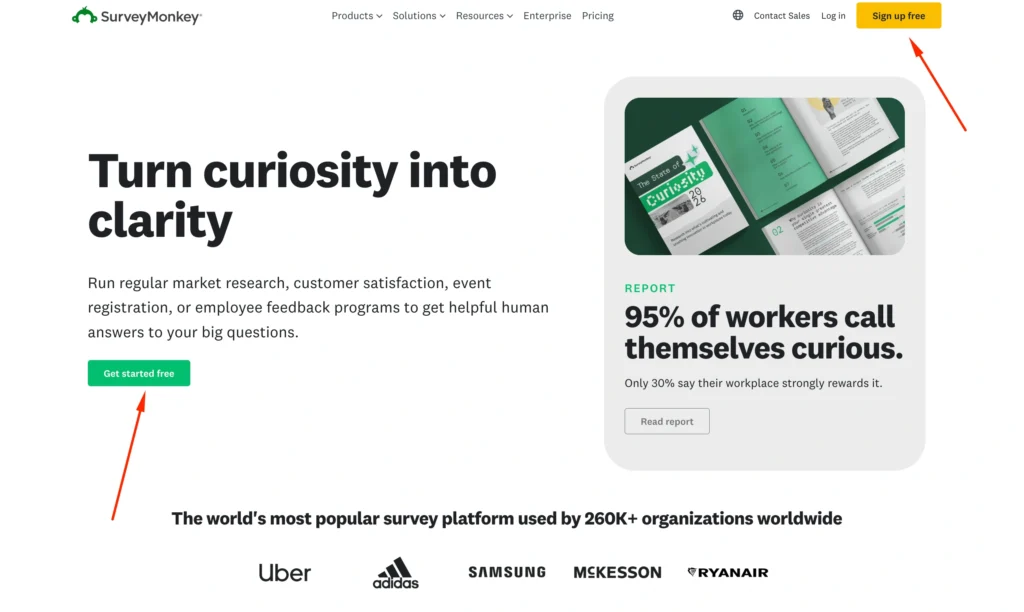
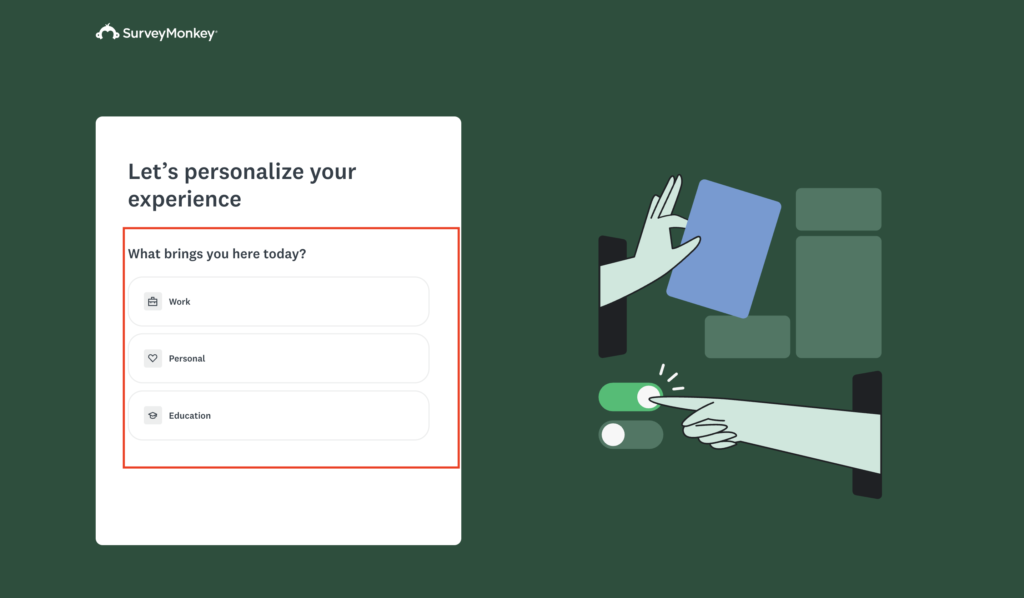
Start by creating or signing into your SurveyMonkey account.
SurveyMonkey offers different account levels, including a free option and paid plans with additional features. The exact features available to you can therefore depend on your subscription.
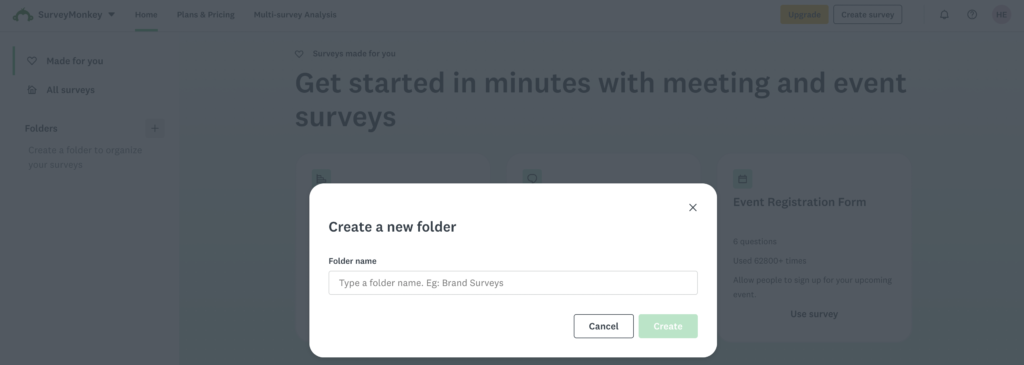
After signing in, you will arrive at your main account area.
This is where you can access existing surveys, create new ones, review responses, and manage account-related options.
For a beginner, the most important areas to understand are generally:
My Surveys: Your existing survey projects.
Create Survey: Where you begin a new survey.
Design Survey: Where questions and survey pages are created.
Collect Responses: Where you decide how respondents will access the survey.
Analyze Results: Where responses, charts, filters, and reporting tools are available.
Think of the SurveyMonkey workflow as four stages:
Create → Design → Collect → Analyze
Understanding this workflow makes the platform much easier to navigate.
Pro Tip: Give every survey a descriptive internal name. Instead of “Customer Survey,” use something such as “Q3 Customer Cancellation Survey.” This becomes useful once your account contains dozens of surveys.
Step 2: Start From Scratch or Use a Template
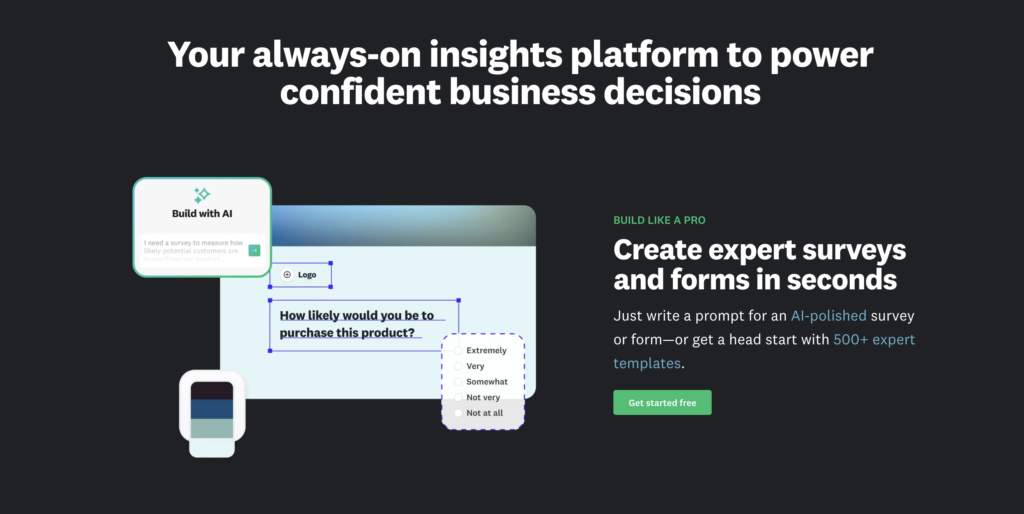
When creating a survey, you may have different ways to begin depending on your account and the current SurveyMonkey interface.
Two of the most important approaches are starting from scratch and using a template.
Starting From Scratch
Starting from scratch gives you greater control.
You create the survey structure yourself and decide:
- What questions to ask
- Which question types to use
- How questions are ordered
- How many pages are included
- Which logic rules should apply
This approach is particularly useful when your research objective is specific.
For example, suppose you run an online software company and want to understand why users cancel after their first month.
A generic customer satisfaction template may not cover the exact questions you need.
Creating the survey from scratch lets you ask things such as:
“What was the main reason you canceled?”
“Which feature did you use most frequently?”
“How easy was the product to learn?”
“What could we have changed to keep you as a customer?”
Using Survey Templates
Templates provide a ready-made starting point.
Instead of creating every question manually, you select a survey designed around a common objective.
Templates can be useful for areas such as:
- Customer satisfaction
- Employee feedback
- Events
- Education
- Market research
- Product feedback
You can then customize the questions to match your situation.
Templates are particularly helpful for beginners because they demonstrate how professional surveys can be structured.
Start From Scratch vs. Templates
| Option | Best For | Main Advantage |
|---|---|---|
| Start from scratch | Experienced users and custom research | Maximum control |
| Template | Beginners and common survey types | Faster setup |
Pro Tip: Even when using a template, review every question before publishing. A professionally written question is not automatically relevant to your specific objective.
Step 3: Design Your Survey Questions
Questions are the most important part of your survey.
Poor questions create poor data, regardless of how powerful your survey software is.
SurveyMonkey provides several question formats. Three particularly useful formats are multiple choice, Likert-style rating questions, and matrix questions.
Multiple Choice Questions
Multiple-choice questions provide respondents with predefined answers.
Example:
How did you first hear about our company?
- YouTube
- Friend or colleague
- Podcast
- Other
Multiple-choice questions are useful because the responses are easy to compare and analyze.
You can use them when respondents should select one answer or, where appropriate, allow multiple selections.
For example:
Which features do you currently use? Select all that apply.
- Reporting
- Automation
- Analytics
- Email marketing
- CRM
- Integrations
Multiple selections make sense here because one person could use several features.
Likert Scale Questions
Likert scales are commonly used to measure attitudes, satisfaction, agreement, and perceptions.
A typical question might say:
How strongly do you agree with the following statement?
“The software is easy to use.”
Possible responses:
- Strongly disagree
- Disagree
- Neither agree nor disagree
- Agree
- Strongly agree
Likert-style questions are particularly useful when you want to measure degrees of opinion instead of forcing respondents into simple yes/no answers.
Another example could measure satisfaction:
How satisfied are you with our customer support?
- Very dissatisfied
- Dissatisfied
- Neither satisfied nor dissatisfied
- Satisfied
- Very satisfied
Keep your scale balanced. If you provide two positive choices, you should generally provide two corresponding negative choices.
Pro Tip: Keep the direction of your scales consistent. If 1 means “Very dissatisfied” in one section, avoid suddenly making 1 mean “Excellent” somewhere else.
Matrix Questions
Matrix questions allow several related items to share the same answer scale.
For example:
How satisfied are you with the following?
| Area | Very Dissatisfied | Dissatisfied | Neutral | Satisfied | Very Satisfied |
|---|---|---|---|---|---|
| Product quality | ○ | ○ | ○ | ○ | ○ |
| Pricing | ○ | ○ | ○ | ○ | ○ |
| Customer service | ○ | ○ | ○ | ○ | ○ |
| Delivery speed | ○ | ○ | ○ | ○ | ○ |
Matrix questions can make a survey shorter visually because respondents evaluate several related items together.
However, do not create enormous matrices.
They can become difficult to complete, particularly on smartphones.
If you have 15 different items to measure, consider dividing them into smaller groups.
Open-Ended Questions
Open-ended questions let respondents type their own answers.
Example:
What is the one thing we could do to improve your experience?
These responses can reveal problems you did not anticipate when creating predefined answer choices.
The disadvantage is analysis.
Reviewing 2,000 written responses takes considerably more effort than analyzing 2,000 multiple-choice answers.
Use open-ended questions strategically rather than turning the entire survey into an interview.
Pro Tip: One strong open-ended question near the end of a customer feedback survey can uncover insights your closed questions missed.
Step 4: Implement Advanced Logic
Once you understand basic survey creation, logic can make your surveys considerably smarter.
Two useful concepts are skip logic and piping.
Availability and exact implementation can depend on your SurveyMonkey plan and the type of question being used.
What Is Skip Logic?
Skip logic changes what respondents see based on their previous answers.
Imagine this question:
Have you purchased from us during the last six months?
- Yes
- No
People selecting “Yes” could continue to questions about their purchase.
People selecting “No” could skip those questions and move directly to a section asking why they have not purchased.
Without logic, non-customers might be forced to answer irrelevant questions such as:
“How satisfied were you with your latest order?”
That creates frustration and inaccurate data.
Skip logic creates a more personalized survey path.
What Is Piping?
Piping uses information from an earlier response later in the survey.
Suppose a respondent selects:
Product used: Email Marketing
A later question could reference that answer:
How satisfied are you with Email Marketing?
Instead of presenting generic wording, the survey uses information the respondent has already provided.
This can make longer surveys feel more relevant and conversational.
Test Your Logic Before Publishing
Logic errors can ruin an otherwise excellent survey.
Always preview and test every important path.
Try completing the survey several times using different answers.
Check:
- Where each answer sends the respondent
- Whether required questions create problems
- Whether piped information appears correctly
- Whether respondents accidentally skip important questions
Pro Tip: Draw complex logic on paper before configuring it. A simple flowchart can prevent confusing branching structures.
Design & Branding Your Survey
Survey design is not only about making things attractive.
Good design improves readability and trust.
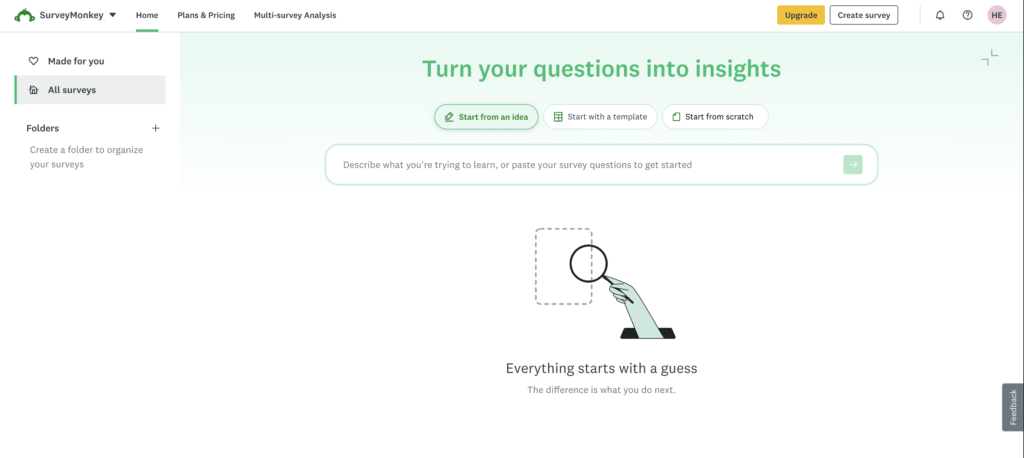
Choose a Suitable Theme
Use SurveyMonkey’s available theme and customization options to adjust the visual presentation of your questionnaire.
Depending on your account and available features, customization may include elements such as:
- Fonts
- Backgrounds
- Colors
- Question formatting
- Survey layout
Choose readability over creativity.
Strong contrast between text and background is usually better than unusual color combinations.
Add Your Logo and Branding
For business surveys, consistent branding can make the questionnaire look more trustworthy.
Where supported by your plan, you may be able to incorporate branding elements such as your company logo.
This is especially useful for:
- Customer surveys
- Employee surveys
- Post-purchase feedback
- Event surveys
- Client research
Keep the logo reasonably small. The survey questions should remain the main focus.
Customize the Thank-You Experience
The respondent experience should not simply stop after the final question.
Use the ending or thank-you options available to you to give respondents a clear conclusion.
For example:
“Thank you for sharing your feedback. Your answers will help us improve our customer support experience.”
Depending on the survey setup and available features, you may also have options for controlling what happens after completion.
Pro Tip: Tell respondents why their participation matters. “Thanks for your response” works, but explaining how feedback will be used creates a stronger ending.
SurveyMonkey Distribution Strategies
After designing and testing the survey, you need respondents.
SurveyMonkey’s collection tools let you create ways for people to access and complete the questionnaire.
The right method depends on your audience.
Email Distribution
Email works particularly well when you already have a defined audience.
Examples include:
- Existing customers
- Employees
- Students
- Event attendees
- Newsletter subscribers
Your invitation should explain what the survey is about and how long it takes.
For example:
“We’re working on improving our customer support experience. This survey takes approximately three minutes, and your feedback will help us understand where we need to improve.”
Do not write a 500-word introduction before asking someone to complete a three-minute survey.
Social Media
Social media can help you reach a broader audience.
You might distribute your survey through platforms or communities where your target respondents are active.
The disadvantage is sample control.
If anyone can access the survey, you may receive responses from people outside your intended audience.
For serious research, think carefully about who can participate.
Website Embed
Website-based surveys can be useful for collecting feedback directly from visitors.
For example, an ecommerce website might ask:
Did you find what you were looking for today?
Website feedback can reveal:
- Navigation problems
- Product information gaps
- Checkout difficulties
- Customer objections
- Content issues
Keep website surveys short. Visitors usually arrived to accomplish something else.
QR Codes
QR codes are particularly useful when your audience is offline.
You could place a survey QR code on:
- Receipts
- Posters
- Restaurant tables
- Event materials
- Product packaging
- Printed flyers
- Presentation slides
A person scans the code with their phone and opens the survey.
Always test the QR code yourself before printing hundreds of copies.
Which Distribution Method Should You Choose?
| Method | Best For |
|---|---|
| Known audiences | |
| Social media | Broad audiences |
| Website | Visitor feedback |
| QR code | Offline-to-online feedback |
You can also use multiple methods for the same project when appropriate.
Pro Tip: Track distribution channels separately when possible. Knowing whether responses came from email, your website, or another source can provide useful context during analysis.
How to Analyze SurveyMonkey Results
Collecting responses is only half the job.
The real value comes from understanding what those responses mean.
SurveyMonkey provides an Analyze Results area where you can review collected data and available visualizations.
Review the Overall Results
Start with the big picture.
Look at each question and identify:
- Most common answers
- Least common answers
- Strong positive or negative patterns
- Unexpected responses
- Questions with unusual response distributions
Do not immediately search for evidence supporting what you already believed.
Let the data speak first.
Suppose 62% of customers report that pricing is their main reason for canceling.
That is much more actionable than simply knowing your average satisfaction rating.
Use Filters
Filters help you examine specific groups within your results.
For example, imagine you surveyed 1,000 customers.
Instead of only looking at everyone together, you might compare:
- New customers
- Long-term customers
- Different age groups
- Different locations
- Different product users
This can reveal patterns hidden by overall averages.
Perhaps your overall satisfaction score is 7.8/10.
That sounds reasonable.
But filtering might show:
New customers: 9.0/10
Long-term customers: 6.6/10
Suddenly, you have a much more interesting business problem to investigate.
Analyze Open-Ended Feedback
Read written comments carefully.
Look for repeated themes rather than focusing entirely on one dramatic response.
If one customer complains about checkout speed, that could be an isolated problem.
If 80 customers independently mention slow checkout, you have a pattern.
Consider categorizing open-ended responses into themes such as:
- Pricing
- Product quality
- Support
- Shipping
- Website
- Missing features
This turns qualitative feedback into something easier to summarize.
Export Your Survey Data
Depending on your plan and available export features, SurveyMonkey can provide options for exporting survey information into formats useful for further analysis, reporting, or sharing.
Common workflows may involve formats such as PDF or spreadsheet-compatible files.
PDF is useful when you want a readable report to share.
Spreadsheet exports are better when you want to perform additional calculations, sorting, filtering, or analysis.
Pro Tip: Keep an untouched copy of your original exported data before performing heavy spreadsheet analysis. You will always have a clean dataset to return to if something gets accidentally changed.
Best Practices for Higher Survey Completion Rates
A professionally designed survey is not necessarily a long survey.
In fact, unnecessary length is one of the easiest ways to lose respondents.
Keep the Survey Focused
Ask only questions that serve your objective.
If your survey is about customer support, you probably do not need ten unrelated questions about marketing preferences.
Put Easy Questions First
Start with simple questions.
Do not open with:
“Please describe in detail your experience with our company during the previous twelve months.”
That feels like work.
A simple multiple-choice or rating question is easier.
Make It Mobile-Friendly
Many respondents will complete your survey on a smartphone.
Keep this in mind when using:
- Large matrix questions
- Long answer choices
- Large blocks of introductory text
- Complicated question formats
Preview the survey on a phone before publishing it.
Avoid Leading Questions
Bad:
How helpful was our excellent customer support team?
The word “excellent” influences the respondent.
Better:
How would you rate your experience with our customer support team?
Keep the language neutral.
Tell People How Long It Takes
If your survey takes approximately four minutes, say so.
People are more willing to begin when they understand the commitment.
Use Progress Indicators Carefully
For longer surveys, showing respondents their progress can help them understand how much is left.
However, the best solution is still to remove unnecessary questions.
Pro Tip: Complete your own survey while timing yourself. If you become bored halfway through, your respondents probably will too.
Common SurveyMonkey Mistakes to Avoid
Even experienced users can create poor surveys.
Here are some common problems.
Asking Two Questions at Once
Example:
How satisfied are you with our pricing and customer service?
What if someone loves the support but hates the price?
Ask two separate questions.
Providing Incomplete Answer Choices
If you ask how customers discovered your company, make sure the available answers cover realistic possibilities.
When necessary, include “Other.”
Making Everything Required
Not every question needs to be mandatory.
Forcing respondents to answer irrelevant or sensitive questions can cause abandonment or inaccurate answers.
Creating Huge Matrix Questions
Matrix questions are useful, but massive grids are tiring, especially on mobile.
Break them into smaller sections.
Using Too Many Open-Ended Questions
Written answers require more effort.
Use open questions when you genuinely need detailed feedback.
Forgetting to Test Survey Logic
Never assume skip logic works correctly simply because you configured it.
Test every route.
Editing Carelessly After Launch
Be cautious about making significant changes once responses are already arriving.
Major modifications can make earlier and later responses harder to compare.
Collecting Data Without an Analysis Plan
Before publishing, ask:
“What will I do if people choose A?”
“What will I do if people choose B?”
If an answer will not influence any decision, question whether you need to collect it.
FAQs About Using SurveyMonkey
1. Is SurveyMonkey easy for beginners?
Yes. Beginners can create basic questionnaires using templates and standard question types without advanced survey experience. More sophisticated tools such as branching, logic, customization, and advanced analysis require additional learning.
2. Can I use SurveyMonkey for free?
SurveyMonkey provides a free account option, but functionality is limited compared with paid plans. Features, response limits, exports, logic, customization, and other capabilities can vary by subscription, so check your account’s current limits before building a large project.
3. How do I create my first SurveyMonkey survey?
Sign into your account, choose the option to create a survey, select a template or begin from scratch, add your questions, configure the design and logic, preview the survey, create a collector, and distribute it to respondents.
4. What is SurveyMonkey skip logic?
Skip logic determines which page or question a respondent sees next based on an earlier response. It helps remove irrelevant questions and creates different paths for different respondents.
5. What is piping in SurveyMonkey?
Piping lets you reuse information from an earlier response later in the questionnaire. It can make follow-up questions feel more relevant to the individual respondent.
6. Can SurveyMonkey create QR codes?
SurveyMonkey offers collection and sharing methods that can include QR-code-based distribution in supported workflows. This is particularly useful for events, restaurants, retail locations, posters, and printed materials.
7. Can I export SurveyMonkey results to Excel?
Export capabilities depend on the account and plan. Where spreadsheet-compatible exports are available, they are useful for deeper sorting, filtering, calculations, and external analysis.
8. Can I export SurveyMonkey results as a PDF?
Depending on your plan and available reporting features, PDF export options may be available for creating readable reports that can be saved or shared with other people.
9. How many questions should my survey have?
There is no perfect number. Survey length should be based on your objective and audience. A focused 8-question survey can produce better data than a 30-question survey filled with unnecessary questions. Aim to collect the minimum information required to make your decision.
10. How can I get more people to complete my survey?
Keep it short, explain why the feedback matters, make the questionnaire mobile-friendly, avoid confusing questions, send it to the right audience, and clearly state the estimated completion time. Most importantly, respect the respondent’s time.
Final Thoughts: How to Get the Most From SurveyMonkey
Learning how to use SurveyMonkey is not really about learning where every button is located.
The more valuable skill is learning how to design a survey that produces useful information.
Start with a clear objective.
Know exactly who should answer the survey. Choose question formats that match the information you need. Use multiple-choice and rating questions for structured data, open-ended questions for deeper explanations, and matrix questions only when several items genuinely share the same scale.
When different respondents need different questions, use logic rather than forcing everyone through the same path.
Before publishing, preview the entire questionnaire on desktop and mobile. Test every important logic route and ask someone unfamiliar with the survey to complete it. If they misunderstand a question, other respondents probably will too.
Then choose a distribution method that matches your audience. Email works well when you know exactly who should participate. Website surveys capture visitor feedback. Social distribution can expand reach, while QR codes connect offline audiences with your questionnaire.
Finally, spend as much time analyzing the answers as you spent collecting them.
Look beyond overall percentages. Filter the results. Compare groups. Read written comments. Search for repeated patterns and unexpected findings.
The goal is not to create the most impressive survey.
The goal is to ask the right people the right questions and turn their answers into better decisions.
Final Pro Tip: Before adding any question to your next SurveyMonkey survey, ask yourself: “What will I do differently after I know the answer?” If you cannot answer that question, you probably do not need to ask it.