Proton VPN is worth it in 2026 if you care about privacy first and still want strong speeds, streaming access, and serious torrenting support. It is one of the few VPNs that feels built by security people, not just marketers.
The Swiss base, audited no logs policy, open source apps, Secure Core architecture, NetShield, port forwarding, and strong free plan make it stand out.
But it is not perfect. The paid plan can cost more than budget VPNs after renewal, Secure Core slows things down, the interface can feel busy for beginners, and streaming can still be inconsistent depending on the platform and server.
| Category | Proton VPN Review Summary |
| Rating | 4.5 out of 5 |
| Best for | Privacy focused users, torrenting, streaming, journalists, frequent travelers |
| Free plan | Unlimited data, 1 device, medium speed, random servers in limited countries |
| Paid plan devices | Up to 10 devices |
| Server network | 20,000 plus servers in 140 plus countries on VPN Plus |
| Protocols | WireGuard, OpenVPN, IKEv2, Stealth |
| Security extras | Secure Core, kill switch, NetShield, DNS leak protection, open source apps |
| Torrenting | Paid plans only, optimized P2P servers, port forwarding support |
| Money back guarantee | 30 days |
Proton VPN Plus gives access to 20,000 plus servers in 140 plus countries, 10 device connections, highest speed servers, streaming support, NetShield, and priority support. The free plan supports 1 device, medium speeds, and server access in 10 countries with random selection.
Pros
- Strong privacy background from the Proton Mail team
- Based in Switzerland, outside major intelligence sharing alliances
- Independently audited no logs policy
- Unlimited free plan, which is rare for a trustworthy VPN
- Fast WireGuard performance on nearby servers
- Secure Core multi hop routing for higher risk users
- Good streaming support on Plus servers
- P2P support and port forwarding on paid plans
- Open source apps
- Clean apps across desktop and mobile
Cons
- Free plan is not enough for streaming or torrenting
- Secure Core adds noticeable latency
- Pricing is not the cheapest after renewal
Introduction: What Is Proton VPN?
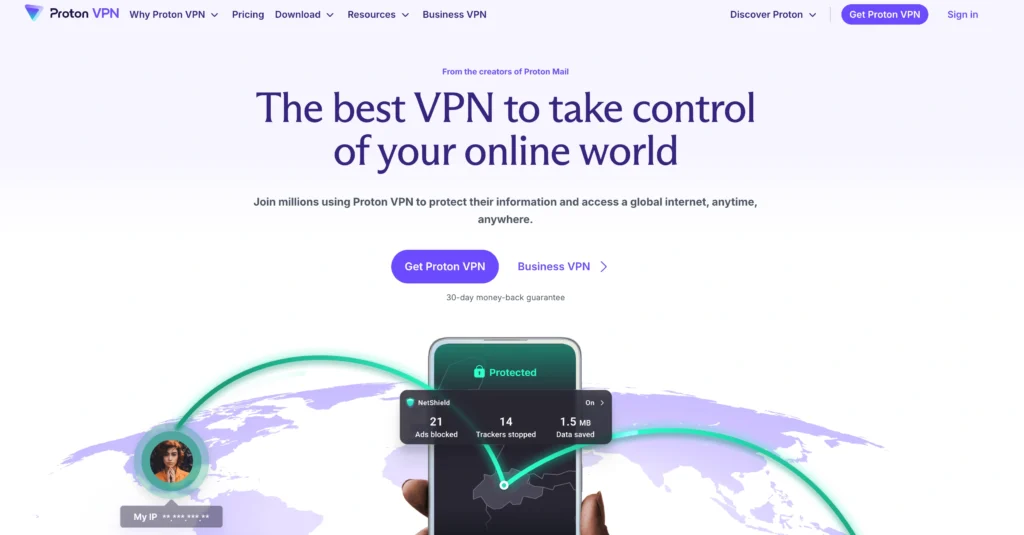
Proton VPN is a privacy focused VPN from Proton, the same Swiss company behind Proton Mail. That heritage matters. Proton did not start as a coupon style VPN brand with a giant influencer budget. It came from encrypted email, privacy activism, open source software, and a user base that actually asks hard questions about logging, jurisdiction, and audits.
The company says Proton was founded in 2014 by scientists who met at CERN, and its products now sit inside a broader privacy suite that includes Proton Mail, Proton Drive, Proton Pass, Calendar, Docs, and Sheets. Proton also says more than 100 million people and organizations have signed up for its services.
The big selling point is simple: Proton VPN tries to be a premium VPN for people who do not fully trust VPN companies. That sounds odd, but it is the right way to judge this category. A VPN can hide your traffic from your ISP, school, office network, or public WiFi snooper. But the VPN provider itself still sits in a powerful position. You are moving trust from one party to another.
That is why Proton leans so hard into Switzerland, open source apps, independent audits, no activity logs, and Secure Core servers. Proton says it does not log browsing activity, session lengths, IP addresses, or metadata that can compromise privacy. Its no logs policy has also been independently reviewed by Securitum.
So who should use it?
Proton VPN makes the most sense for privacy conscious users, remote workers, torrent users who want better IP protection, streamers who want broader access to their paid services while traveling, and anyone who wants a VPN from a company with a serious security culture.
Who should skip it?
If you only want the cheapest VPN possible, Proton may feel expensive. If you want a set and forget streaming VPN with the absolute simplest app, ExpressVPN or NordVPN may feel smoother. If you want unlimited device connections on one account, Surfshark is more generous. Proton is more privacy first than bargain first.
Speed and Performance Test: How Fast Is Proton VPN Really?
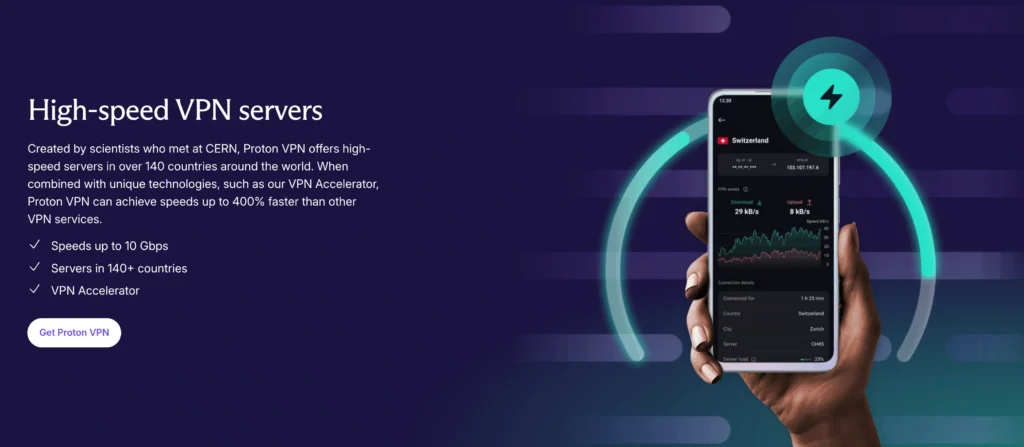
Speed is where Proton VPN has improved a lot over the years. Older versions of Proton had a reputation for being secure but not always fast. That is no longer the case on modern WireGuard servers.
Proton supports WireGuard, OpenVPN, and IKEv2, and its own speed guidance says WireGuard is usually the fastest option. Proton also says UDP is faster than TCP for WireGuard and OpenVPN in most cases.
WireGuard Protocol Performance
WireGuard is the protocol most people should use. It is lighter than OpenVPN, connects quickly, and usually gives better speeds on nearby servers. Proton says its WireGuard implementation uses ChaCha20 encryption and a double NAT system to protect privacy.
In real world terms, this means Proton VPN can feel almost invisible on a good nearby server. Browsing, YouTube, video calls, app downloads, and cloud backups all feel normal when you connect to a low load server in your region.
Independent testing also backs up the speed story. Tom’s Guide reported Proton VPN WireGuard speeds averaging around 1,475 Mbps in recent testing, while TechRadar has reported Proton VPN speeds above 1 Gbps in its VPN coverage.
That does not mean every user will see gigabit speeds. Your result depends on your base internet speed, distance from the server, server load, device CPU, network congestion, and protocol choice. A 100 Mbps home connection will not magically become 1,000 Mbps because you installed Proton VPN.
A practical expectation looks like this:
| Scenario | Expected Proton VPN Performance |
| Nearby WireGuard server | Very fast, often small speed drop |
| Long distance server | Noticeable drop, but still usable for HD or 4K if your base speed is strong |
| Secure Core enabled | Slower due to multi hop routing |
| Free plan | Usable for browsing, not ideal for heavy streaming or torrenting |
| Crowded server | Higher ping and slower downloads |
Ping and Gaming
For gaming, Proton VPN is decent but not magical. A nearby WireGuard server can keep ping low enough for casual multiplayer. But if you connect across continents, ping will jump. That is physics, not Proton failing.
Secure Core is not ideal for gaming. Proton itself says Secure Core adds extra latency because traffic passes through its high security network before reaching the exit location. It recommends turning off Secure Core for bandwidth heavy use cases like Netflix if you do not need the extra protection.
Download Speeds and VPN Accelerator
Proton has a feature called VPN Accelerator, which is enabled by default in its apps. Proton says it can improve speed and stability by reducing latency and helping overcome CPU limitations in VPN protocol processing. It claims speed increases of over 400 percent in some situations.
That number needs context. It does not mean your internet becomes four times faster than your normal ISP speed. It means Proton’s own VPN path can perform better than it otherwise would, especially on long distance connections or under less ideal network conditions.
My no nonsense take: Proton VPN is now one of the faster privacy first VPNs. It is not just “good for a secure VPN.” It is fast enough for everyday premium use.
Privacy, Security, and Logging Policy: Inside the Swiss Fortress
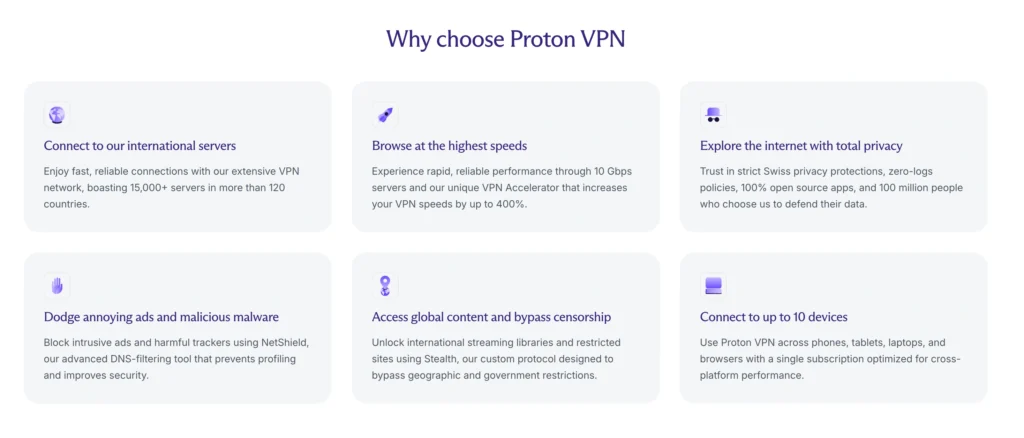
This is the section where Proton VPN earns most of its score.
A lot of VPN brands talk about privacy. Proton has more substance behind the claim. It has Swiss jurisdiction, open source apps, published audits, Secure Core routing, strong encryption, DNS leak protection, and a clear no logs stance.
Swiss Jurisdiction and ProtonMail Heritage
Proton is based in Switzerland. Proton says Swiss law does not require it to retain VPN data logs, and foreign data requests must go through Swiss legal channels.
That matters because jurisdiction affects what a VPN company can be forced to collect or disclose. Switzerland is not a magic privacy shield, but it is generally a better home for a privacy company than countries with aggressive surveillance laws or mandatory VPN logging rules.
The Proton Mail connection also gives Proton VPN more credibility than many standalone VPN brands. Proton Mail built its reputation with encrypted email, privacy tools, and a user base that includes journalists, activists, and technical users. Proton VPN benefits from that same culture.
No Logs Policy Verification
Proton says it does not store logs of visited websites, session lengths, monitored IP addresses, connection metadata, or online activity.
More importantly, Proton VPN has gone through repeated third party no logs audits. Proton announced in September 2025 that it had passed its fourth consecutive annual no logs audit, with the latest review conducted by Securitum.
That audit history matters because “no logs” is easy to write on a landing page. Verification is harder. An audit does not make a VPN perfect forever, but it reduces blind trust. It gives users something better than marketing copy.
Proton also points to a 2019 legal case where it says it was ordered to turn over logs to identify a user but could not comply because the logs did not exist.
Encryption: AES 256 and ChaCha20
Proton VPN uses AES 256 or ChaCha20 depending on protocol. OpenVPN and IKEv2 connections use AES 256, while WireGuard uses ChaCha20. Proton also supports perfect forward secrecy, which means each session uses fresh keys so a future compromise does not expose old sessions.
This is strong, modern VPN security. The bigger question is not whether Proton’s encryption is strong enough. It is whether the apps, servers, DNS handling, and logging practices are trustworthy. Proton scores well across those areas.
Secure Core Architecture
Secure Core is Proton’s multi hop feature. Instead of connecting directly to a VPN server in your chosen country, your traffic first passes through a hardened Proton controlled server in a privacy friendly country such as Switzerland, Iceland, or Sweden. Proton says Secure Core is designed to reduce the risk from a compromised exit server.
Here is the practical version.
If you connect normally to a server in Country A, that exit server sees your VPN assigned traffic leaving into the public internet. If that server or network is monitored, there is more risk. With Secure Core, the exit server sees traffic coming from Proton’s Secure Core network rather than directly from you.
Do most users need Secure Core every day? No.
For normal streaming, shopping, browsing, and email, it is overkill. For journalists, activists, political researchers, whistleblower adjacent work, or users connecting through hostile networks, Secure Core is one of Proton’s best features.
The tradeoff is speed. Secure Core adds distance and extra routing. Use it when the threat model justifies it, not because it sounds cool.
NetShield Ad Blocker
NetShield is Proton VPN’s DNS based blocker for ads, trackers, and malware domains. Proton says NetShield can block ads, trackers, and malware while speeding up browsing.
It is not a full replacement for uBlock Origin or a dedicated security suite. It will not clean up every ad slot or stop every tracking script. But it is useful at the network level, especially on mobile where browser extension support can be weak.
Kill Switch and DNS Leak Protection
Proton VPN includes a kill switch to block internet traffic if the VPN connection drops. It also routes DNS queries through encrypted VPN tunnels and uses its own DNS servers instead of relying on third party DNS services.
These are essential VPN features. Without them, your IP address or DNS requests could leak during connection drops or bad network transitions.
Streaming and Torrenting Capabilities: Does Proton VPN Unblock Netflix, BBC iPlayer, and Prime Video?
Proton VPN is now a strong streaming VPN, but I would not call it flawless.
Proton says its Plus servers support popular streaming platforms including Netflix, Disney Plus, HBO Max, Hulu, and more. Its pricing page also lists streaming access for Netflix, Disney Plus, Prime Video, and other services.
Netflix and Global Libraries
Netflix usually works best on Proton’s Plus servers. The free plan is not built for this. If you want to stream reliably, you need the paid version.
The catch is that streaming VPN performance changes constantly. Netflix and other platforms block VPN IP ranges, VPN providers rotate servers, and some regions work better than others. A server that works today may fail next week. That is true for every VPN, not just Proton.
For everyday users, Proton VPN is good enough for Netflix travel access. For someone whose main VPN use is unblocking every possible streaming library with the least friction, NordVPN or ExpressVPN may feel more consistent.
BBC iPlayer, Prime Video, and Disney Plus
Proton has support pages for BBC iPlayer and says users should connect to a Plus server in the UK for BBC iPlayer.
Prime Video is trickier. It is one of the more aggressive platforms against VPN use. Independent testing from Tom’s Guide found Proton VPN strong for Netflix and BBC iPlayer, while Prime Video was less consistent in some regions.
So the honest answer is:
- Netflix: Strong on Plus servers
- BBC iPlayer: Good, especially on UK Plus servers
- Disney Plus: Generally strong
- Prime Video: Works, but can be more hit or miss
- Free plan streaming: Not recommended
Torrenting and P2P Support
This is where Proton VPN is better than many mainstream VPNs.
Proton supports P2P file sharing on paid plans through optimized P2P servers. Proton says free users need to upgrade to Proton VPN Plus, Proton Unlimited, or a legacy Visionary plan to use BitTorrent.
The big win for torrent users is port forwarding. Proton VPN supports port forwarding on special P2P servers, which can improve torrent connectivity and seeding performance. Proton says port forwarding is available on P2P servers and provides setup options across Windows, macOS early access, Linux, OpenVPN, and WireGuard configurations.
This makes Proton VPN a strong pick for legal torrenting, open source downloads, Linux ISOs, large media file sharing, and privacy conscious P2P use.
One safety note: a VPN does not make illegal downloading legal. It hides your IP from peers and helps protect traffic on your network, but you are still responsible for what you download and share.
Plans, Pricing, and the Free Tier: Is Proton VPN Plus Worth It?
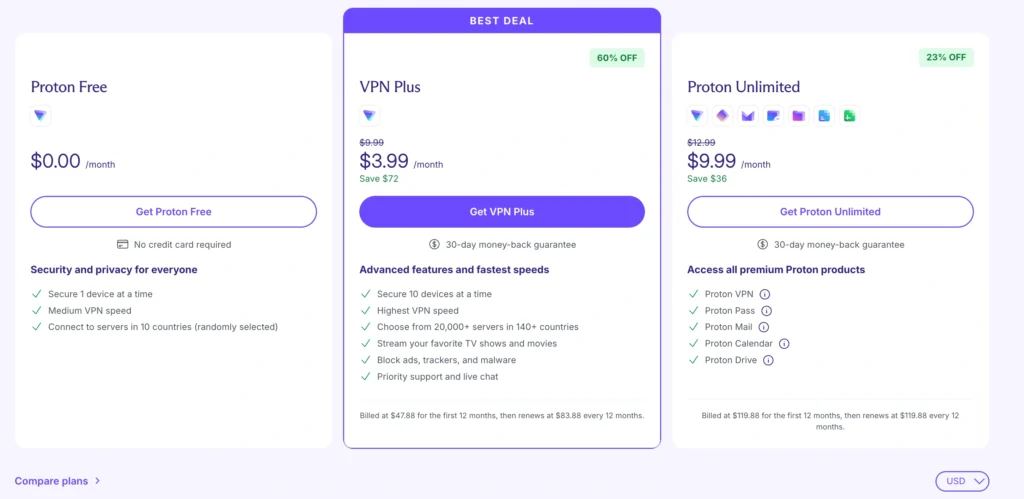
Proton VPN has one of the best free plans in the industry, but the free plan is not a replacement for Proton VPN Plus.
The free version gives unlimited data, no credit card requirement, 1 device connection, medium speed, and access to servers in limited countries with random selection. Proton also says its free plan has no artificial data limits and is supported by paid users.
That is excellent for basic privacy. You can use it on public WiFi, hide browsing from your ISP, test Proton’s apps, and keep a private connection without paying.
But the limitations are clear.
Proton VPN Free vs Plus
| Feature | Proton VPN Free | Proton VPN Plus |
| Monthly cost | $0 | Paid |
| Data limit | Unlimited | Unlimited |
| Devices | 1 | Up to 10 |
| Server choice | Limited, random selection | 20,000 plus servers in 140 plus countries |
| Speed | Medium | Highest speed |
| Streaming | Not the main use case | Supported |
| Torrenting | Not available | Supported on P2P servers |
| NetShield | Limited or paid features vary | Included |
| Secure Core | No | Yes |
| Priority support | No | Yes |
Proton VPN Plus is the plan most readers should judge. It unlocks the real product: fast servers, streaming, torrenting, Secure Core, NetShield, 10 devices, and priority support.
Current Proton pricing search results show the two year VPN Plus deal billed at $71.76 for the first 24 months, with renewal at $83.88 every 12 months. That works out to about $2.99 per month for the initial two year term, then about $6.99 per month on annual renewal.
That is competitive for the first term, but renewal pricing is where you need to pay attention. Proton is not the worst offender here, but the VPN industry loves promotional pricing. Set a reminder before renewal.
Is the Free Version Enough?
Use Proton VPN Free if you only need:
- Safer public WiFi browsing
- Occasional private browsing
- A trustworthy free VPN with unlimited data
- Basic IP masking
- A test drive before paying
Upgrade to Plus if you need:
- Streaming access
- Torrenting or port forwarding
- Faster speeds
- Manual server choice
- More countries
- Secure Core
- NetShield
- Multiple devices
For most serious users, Plus is worth it. For casual privacy, Free is enough.
User Experience: Desktop and Mobile App Interface
Proton VPN’s apps look modern, polished, and serious. The desktop app gives you a map view, server list, profiles, protocol settings, Secure Core toggle, NetShield controls, kill switch, split tunneling, and connection details.
That is great for power users. It is also where Proton can feel a little crowded.
A beginner may open the app and wonder whether they should choose Smart Protocol, WireGuard, Secure Core, P2P, Tor over VPN, profiles, or a country server. Proton tries to simplify this with Quick Connect, which chooses a fast nearby server automatically.
Proton says Quick Connect lets users connect to the fastest server for their location with one click.
Desktop App
The Windows and macOS apps are clean enough for daily use. The connection process is fast, server load indicators are helpful, and profiles are useful if you want one setup for streaming, one for torrenting, and one for Secure Core.
The kill switch is easy to find. NetShield is easy to toggle. P2P servers are clearly marked. That matters because many VPN apps hide useful features behind messy menus.
The weak point is that Proton can feel more technical than Surfshark or ExpressVPN. That is not always bad. Proton’s target user often wants control. But if you are installing a VPN for a parent or a less technical friend, tell them to use Quick Connect and ignore the rest.
Mobile App
The mobile apps are smooth and reliable. Android users get strong feature coverage, and Proton also offers Android access through Google Play, F Droid, and APK download options. Proton’s app download page lists support for Windows, macOS, Linux, iOS, Android, Android TV, Chrome, Firefox, and Chromebook.
On mobile, the biggest benefit is background protection. You connect once, leave it on, and avoid leaking traffic on coffee shop WiFi, airport networks, hotels, and mobile carrier networks.
Battery impact is reasonable with WireGuard. OpenVPN will usually feel heavier. If you care about speed and battery, use WireGuard or Smart Protocol.
Final Verdict: Should You Buy Proton VPN?
Buy Proton VPN if you want a VPN that puts privacy before hype and still performs like a premium product.
The strongest reason to choose Proton is trust. You get Swiss jurisdiction, audited no logs, open source apps, strong encryption, Secure Core, DNS protection, kill switch, NetShield, and a company with a real privacy background. That combination is hard to beat.
For streaming, Proton VPN Plus is good. Netflix, BBC iPlayer, Disney Plus, and other major services usually work well on Plus servers, though Prime Video can be more stubborn. For torrenting, Proton is one of the better choices because it supports optimized P2P servers and port forwarding on paid plans. For speed, WireGuard performance is strong enough that most users will not feel much slowdown on nearby servers.
The free plan deserves praise too. It is not a fake free plan with tiny data limits. It is genuinely useful for basic privacy. But it is not the plan I would use for streaming, torrenting, or daily multi device coverage.
The downsides are real. Proton is not always the cheapest after renewal. Secure Core slows things down. The app can feel feature heavy. Streaming is strong but not perfect. And users who want unlimited device connections may prefer Surfshark.
Still, Proton VPN is one of the easiest VPNs to recommend in 2026 because it balances privacy, speed, streaming, and torrenting better than most competitors.
My rating: 4.5 out of 5.
Best choice for: privacy first users, torrent users, journalists, frequent travelers, and streamers who want a VPN from a company with serious security credentials.