Online surveys have become part of everyday business. Companies use them to measure customer satisfaction, collect employee feedback, qualify leads, conduct market research, register people for events, and gather data for internal projects.
Two names come up repeatedly: SurveyMonkey and Google Forms.
At first glance, they appear to solve the same problem. You create questions, send a link, collect responses, and analyze the results.
But once you move beyond basic forms, the difference becomes much clearer.
Google Forms is primarily a simple, accessible form builder that fits naturally into the Google ecosystem. SurveyMonkey is a dedicated survey and research platform with considerably more depth in survey design, logic, reporting, branding, and enterprise administration.
That difference also explains the large gap in pricing.
If you simply need to collect 50 responses from employees about where to hold the company dinner, paying for an advanced survey platform makes little sense. Google Forms will probably handle the job in minutes.
If you are running customer research across thousands of respondents and need advanced branching, professional reporting, custom branding, sophisticated analysis, or tighter survey controls, SurveyMonkey becomes much more attractive.
This SurveyMonkey vs Google Forms comparison examines where each platform performs best and, more importantly, which type of user should choose each one.
Executive Summary: SurveyMonkey vs Google Forms at a Glance
Here is the short version.
| Category | SurveyMonkey | Google Forms |
|---|---|---|
| Best for | Professional surveys and research | Simple forms and surveys |
| Ease of use | Very good | Excellent |
| Free option | Yes, but restricted | Yes |
| Survey templates | 500+ on paid SurveyMonkey plans | Smaller selection |
| Advanced survey logic | Excellent | Basic |
| Reporting | Advanced | Basic |
| Google Sheets integration | Available through integrations/workflows | Excellent native connection |
| Custom branding | Strong on eligible paid plans | Limited |
| Data export | Strong on paid plans | Easy through Google Sheets |
| Enterprise administration | Strong | Primarily handled through Google Workspace |
| HIPAA use | Available through eligible SurveyMonkey Enterprise arrangements | Depends on eligible Google Workspace configuration and covered services |
| Best for beginners | Good | Excellent |
| Best for researchers | Excellent | Fair |
| Value for basic surveys | Fair | Excellent |
| Overall survey capability | Excellent | Good |
The easiest way to understand the comparison is this:
Google Forms wins on simplicity and cost. SurveyMonkey wins on survey sophistication.
There is no reason to buy SurveyMonkey if your requirements are extremely basic. Conversely, choosing Google Forms simply because it is free can become limiting when survey research starts influencing important business decisions.
Interface & Design Philosophy
SurveyMonkey and Google Forms approach survey creation from different directions.
Google Forms follows Google’s familiar productivity philosophy. It tries to remove as many obstacles as possible between opening the application and creating a form.
SurveyMonkey behaves more like specialist research software.
That distinction affects almost everything else.
Google Forms: Simplicity Comes First
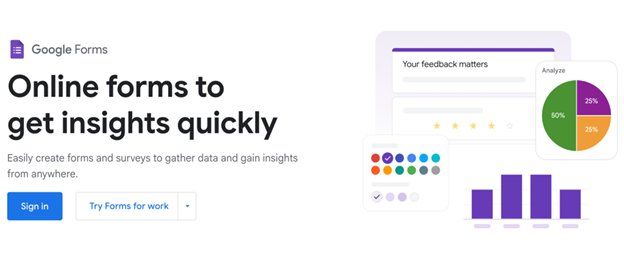
Google Forms has one of the easiest interfaces in the category.
Create a form and you immediately see a blank canvas where you can add a title, description, and your first question.
Questions can be changed between formats such as:
- Multiple choice
- Checkboxes
- Dropdowns
- Short answers
- Paragraph responses
- Linear scales
- Multiple-choice grids
- Checkbox grids
- Date and time fields
- File uploads
You do not need training to understand the basic workflow.
If you have previously used Google Docs, Slides, or Sheets, the interface will feel familiar.
The biggest advantage is speed.
A small business owner could create a customer feedback form, connect it with a spreadsheet, generate a shareable link, and start collecting responses without spending much time learning the platform.
That simplicity does come with a trade-off.
Google Forms gives you enough customization for everyday forms, but it does not provide the same level of control over survey methodology, respondent experience, advanced logic, or analysis as a dedicated research platform.
SurveyMonkey: Built Around Survey Research
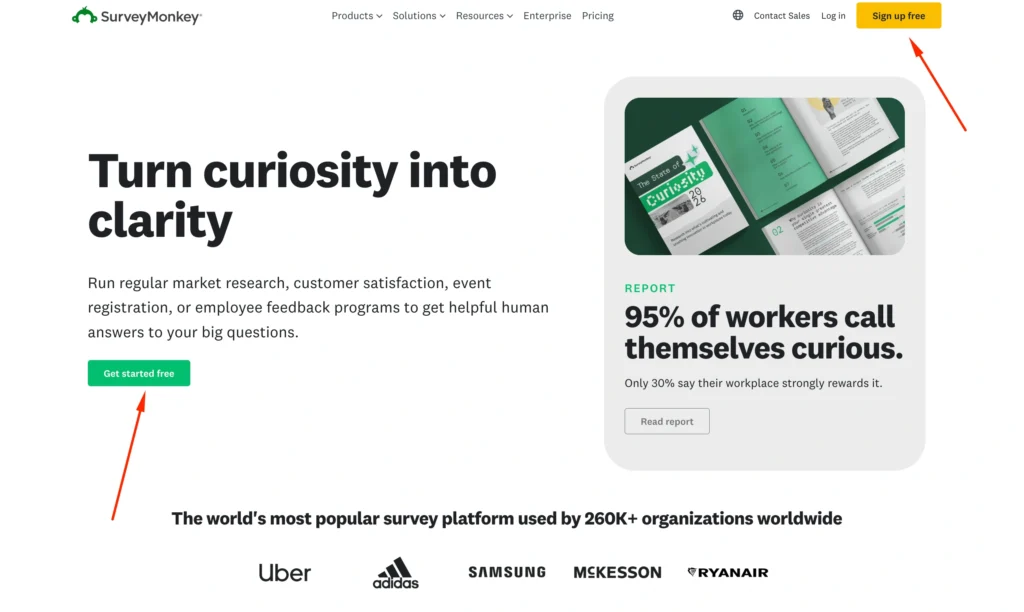
SurveyMonkey’s interface is still approachable, but there is considerably more happening underneath it.
You are not simply adding fields to a form. The platform gives you tools for designing how respondents move through a survey and how their answers will eventually be analyzed.
SurveyMonkey also offers a much larger collection of professionally designed templates and question formats.
Depending on the plan, users can access features covering areas such as:
- Survey logic
- Question randomization
- Page randomization
- A/B testing
- Response quotas
- Custom reports
- Advanced branching
- Piping
- Branding
- Multiple collection methods
This naturally creates a slightly steeper learning curve.
A beginner can still create a straightforward questionnaire relatively quickly. However, getting full value from SurveyMonkey requires understanding features such as branching, collectors, filtering, question design, and reporting.
Feature-by-Feature Battle
This is where the difference between SurveyMonkey and Google Forms becomes much more obvious.
Google Forms handles the fundamentals exceptionally well.
SurveyMonkey goes several layers deeper.
Conditional Logic & Branching
Conditional logic allows a survey to change based on someone’s previous response.
Imagine asking:
“Have you purchased from us during the last six months?”
If someone answers “Yes,” you might ask them about their purchase experience.
If they answer “No,” you might instead ask why they haven’t purchased.
Without branching logic, everyone sees irrelevant questions.
Google Forms Logic

Google Forms supports basic section-based branching.
You can divide your form into sections and direct respondents toward different sections depending on certain answers.
For many simple surveys, that is enough.
For example:
Question: Are you currently a customer?
Yes → Customer satisfaction questions
No → Lead qualification questions
This works well for relatively straightforward questionnaires.
The limitation becomes apparent when you try to create complicated respondent journeys.
SurveyMonkey Logic
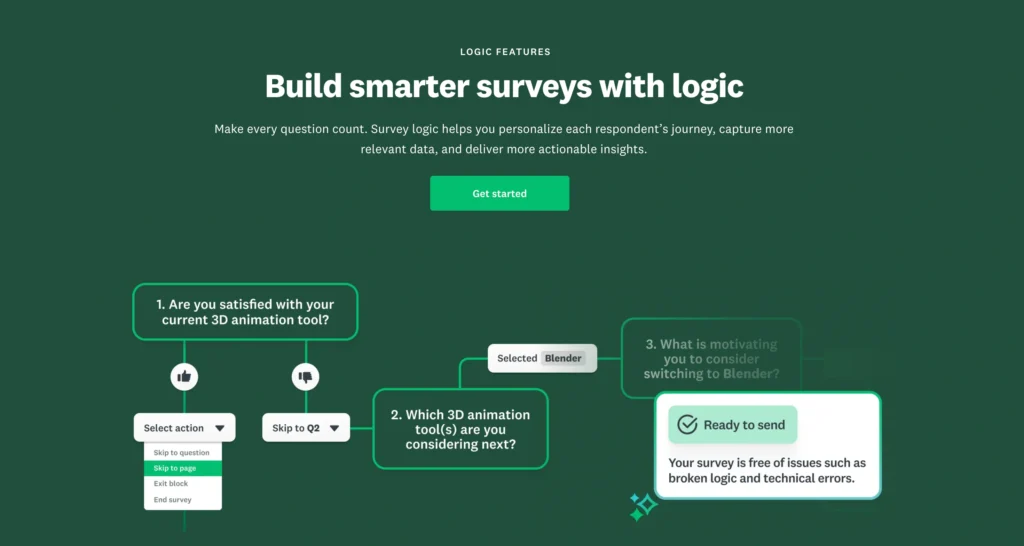
SurveyMonkey takes logic considerably further.
Paid plans provide survey logic capabilities, while higher tiers unlock increasingly sophisticated options.
Depending on your plan, this can include:
- Skip logic
- Advanced branching
- Question and page randomization
- Question piping
- Advanced piping
- Response quotas
- A/B testing
This gives professional researchers much greater control over how questionnaires behave.
Suppose a software company wants to survey 2,000 customers across several product categories.
Respondents could potentially see different questions based on:
- Their customer status
- Product purchased
- Subscription tier
- Satisfaction score
- Previous answers
That is the type of scenario where SurveyMonkey starts separating itself from Google Forms.
Winner: SurveyMonkey
Google Forms is perfectly adequate for simple branching. SurveyMonkey is substantially better for complex surveys.
Data Export & Reporting
Collecting responses is only half the job.
The real value comes from understanding what those responses mean.
Google Forms Reporting

Google Forms provides automatic response summaries.
You can quickly view:
- Response counts
- Individual responses
- Basic charts
- Answer distributions
- Response summaries
Its biggest advantage is the connection with Google Sheets.
Responses can flow into a spreadsheet where you can organize information, create formulas, build charts, filter records, or combine survey results with other datasets.
For people who already know Google Sheets well, this is extremely useful.
The weakness is that Google Forms itself is not an advanced analytics platform.
Once analysis becomes sophisticated, you generally move outside Forms and perform the work in Sheets or another analytics application.
SurveyMonkey Reporting
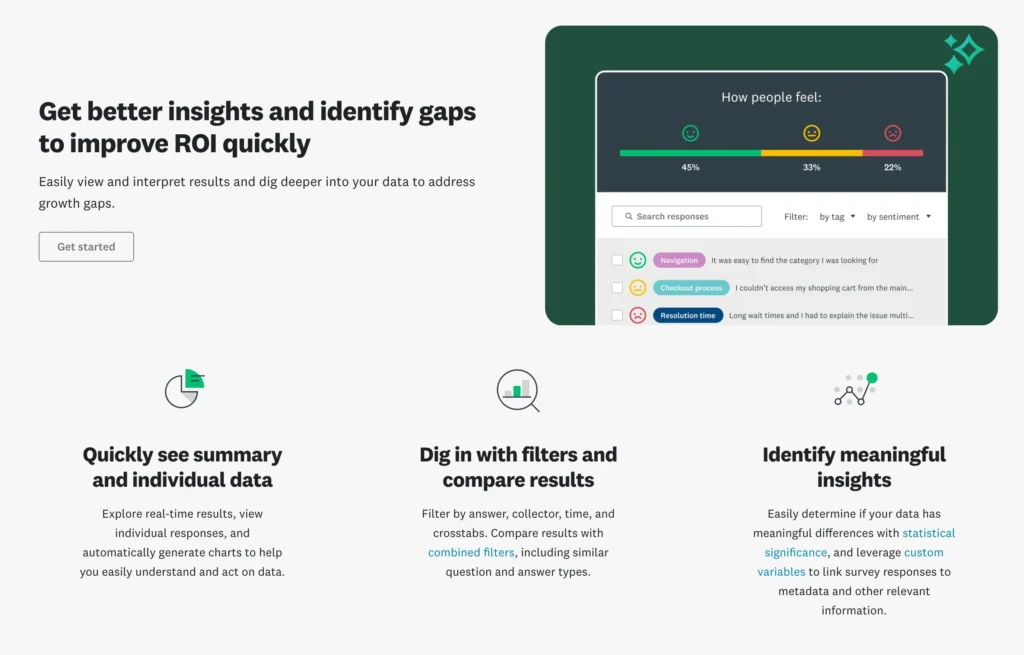
SurveyMonkey places much greater emphasis on analyzing surveys within the platform itself.
Paid plans include data export capabilities and more sophisticated reporting features. Higher-level offerings provide additional filtering, comparison, crosstab, and dashboard capabilities.
This makes SurveyMonkey considerably better suited to professional feedback programs.
For example, imagine collecting employee satisfaction scores across:
- 12 departments
- 8 offices
- 4 job levels
- 3 geographic regions
Seeing an overall satisfaction score isn’t particularly useful.
You want to know whether satisfaction differs between departments, locations, employee groups, or management levels.
SurveyMonkey is designed around this type of analysis.
Google Forms collects the information effectively, but more of the analytical work becomes your responsibility.
Winner: SurveyMonkey
For basic summaries and spreadsheet analysis, Google Forms is excellent.
For survey-specific reporting, SurveyMonkey is much stronger.
Template Library
Templates matter more than they initially appear to.
A template isn’t simply a prettier starting point. A professionally constructed survey can also help users ask better questions.
Google Forms Templates
Google Forms offers templates for common use cases such as:
- Event registration
- Contact information
- Invitations
- Feedback
- Assessments
- Applications
- Work requests
They are simple and practical.
For most everyday tasks, they are enough.
The library, however, isn’t the central selling point of Google Forms.
SurveyMonkey Templates
SurveyMonkey invests much more heavily in templates because survey creation is its primary business.
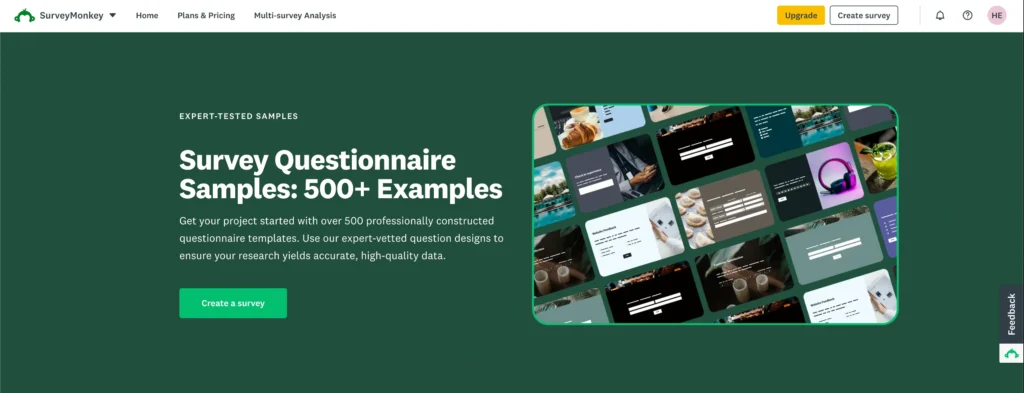
Its paid plans advertise access to 500+ expert templates.
Templates cover areas including:
- Customer satisfaction
- Employee engagement
- Market research
- Product feedback
- Events
- Education
- Healthcare
- Human resources
- Marketing
- Nonprofits
The difference is particularly valuable for users who aren’t professional researchers.
Instead of wondering how to structure a customer satisfaction questionnaire, you can begin with a purpose-built template and customize it.
Winner: SurveyMonkey
For occasional surveys, Google’s templates are sufficient. For organizations running many different types of research, SurveyMonkey’s library offers considerably more depth.
Security & Compliance: GDPR, HIPAA and Enterprise Requirements
Security deserves special attention because surveys can contain sensitive information.
This becomes particularly important for organizations collecting employee information, healthcare information, customer records, or personally identifiable information.
SurveyMonkey Security
SurveyMonkey provides a mature security and compliance framework.
Its current Trust Center lists standards and capabilities including:
- SOC 2 Type II
- ISO 27001
- GDPR support
- CCPA
- PCI DSS
- Encryption at rest
- Encryption in transit
- Two-factor authentication
- Enterprise SSO
- Enterprise account controls
SurveyMonkey says data is protected using AES-256 encryption at rest and TLS 1.2+ encryption in transit.
HIPAA support is especially important.
SurveyMonkey allows eligible Enterprise customers to use the platform in support of HIPAA-compliant workflows, with Business Associate Agreements available under applicable Enterprise arrangements.
That does not mean every SurveyMonkey account is automatically suitable for collecting protected health information.
Organizations handling PHI should work with SurveyMonkey to ensure the correct Enterprise configuration and contractual protections are in place.
Google Forms Security
Google Forms benefits from Google’s broader security infrastructure.
For businesses, many administrative and security capabilities come through Google Workspace rather than Forms functioning as an independent enterprise survey product.
That distinction matters.
If your organization needs features involving identity management, access policies, retention, audit capabilities, healthcare compliance, or other regulated workflows, you need to evaluate the relevant Google Workspace edition and configuration rather than assuming that creating a Google Form automatically makes a workflow compliant.
The same principle applies to HIPAA.
Organizations should confirm that their specific Google Workspace edition, configuration, covered service usage, and Business Associate Agreement meet their requirements before collecting PHI.
Security Comparison
| Security Area | SurveyMonkey | Google Forms |
|---|---|---|
| GDPR considerations | Strong | Strong through Google’s ecosystem |
| Encryption | Yes | Yes |
| Enterprise administration | Strong | Strong through Google Workspace |
| SSO | Available for SurveyMonkey Enterprise | Available through eligible Workspace configurations |
| HIPAA workflows | Enterprise option with appropriate BAA | Requires appropriate Workspace setup and agreement |
| Survey-specific governance | Excellent | More ecosystem-dependent |
| General business security | Excellent | Excellent |
Winner: Tie for general security, SurveyMonkey for survey-specific enterprise controls.
Google has an enormous security ecosystem, while SurveyMonkey provides controls specifically designed around surveys and feedback programs.
Organizations in regulated industries should evaluate the exact contract and plan rather than selecting either service based solely on the word “HIPAA.”
Collaboration and Team Management
Collaboration is another area where the platforms take different approaches.
Google Forms Collaboration
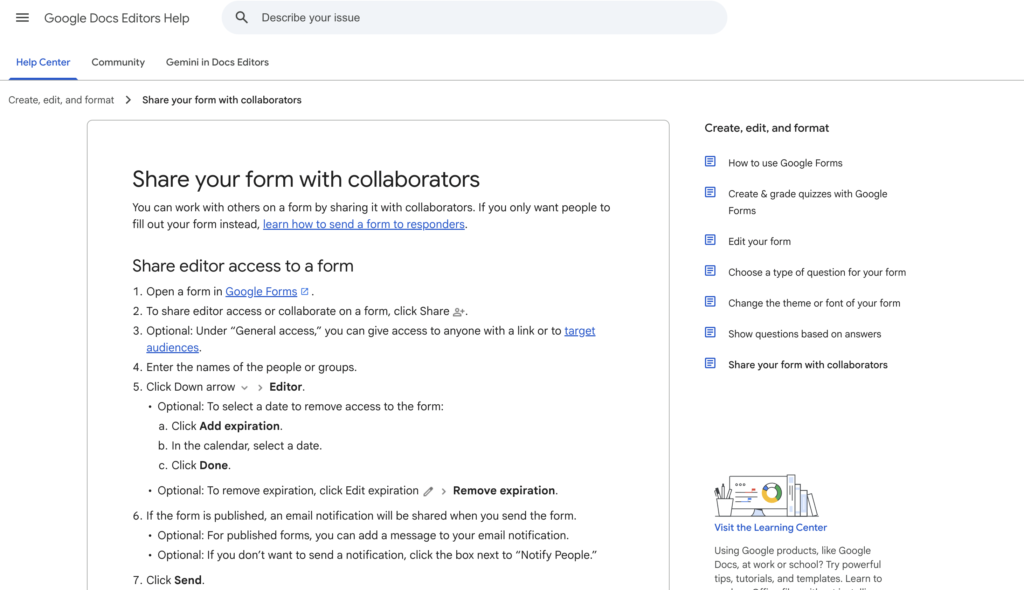
Google Forms uses Google’s familiar sharing model.
If your organization already operates through Google Workspace, collaboration feels natural.
You can share forms with colleagues and work within the broader ecosystem of:
- Google Drive
- Google Sheets
- Gmail
- Google Docs
- Google Workspace administration
For small teams, this is extremely convenient.
There is almost no additional workflow to learn.
SurveyMonkey Collaboration
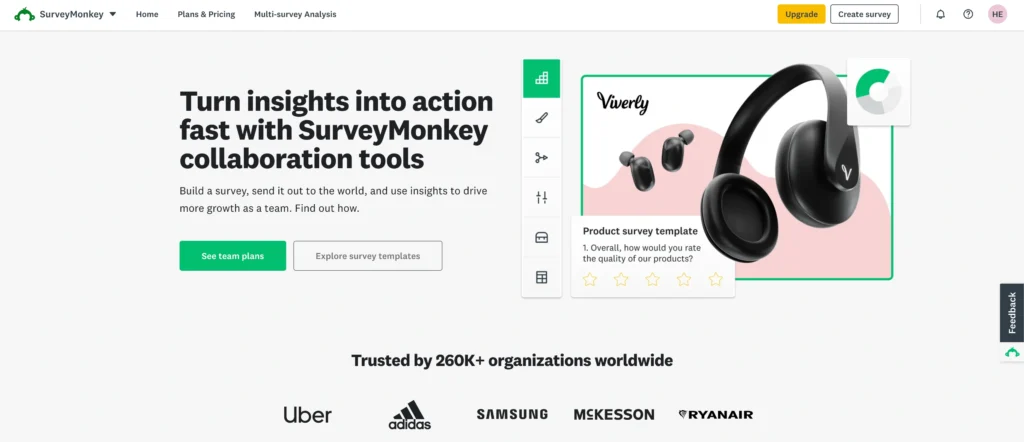
SurveyMonkey Team plans are designed specifically for organizations that run surveys collaboratively.
Teams can share survey projects and work together on survey creation and analysis.
Libraries can also help organizations share assets such as themes and logos.
Enterprise plans add further administrative capabilities.
That becomes valuable when an organization has dozens or hundreds of employees creating surveys and needs consistent controls.
Winner: Google Forms for everyday collaboration; SurveyMonkey for dedicated survey teams.
Target Audience: Who Should Use Each Platform?
Neither platform is universally better.
The correct choice depends heavily on the organization.
Freelancers and Individuals
Best choice: Google Forms
A freelancer collecting:
- Client information
- Project briefs
- Testimonials
- Event registrations
- Contact requests
probably doesn’t need SurveyMonkey.
Google Forms handles these tasks easily without adding another major software expense.
Small Businesses
Best choice: Usually Google Forms
Small businesses often have straightforward requirements.
You may need a monthly employee survey, customer satisfaction form, event registration form, or lead questionnaire.
Google Forms is difficult to beat for those tasks because it is easy to deploy and may already be part of your workflow.
SurveyMonkey becomes worth considering when customer research starts playing a more significant role in business decisions.
Marketing Teams
Best choice: SurveyMonkey
Marketing teams frequently need more than simple data collection.
They may conduct:
- Brand awareness studies
- Customer satisfaction surveys
- Product research
- Campaign feedback
- Audience research
- NPS-style surveys
Better logic, templates, reporting, and analysis make SurveyMonkey more suitable for these projects.
Researchers
Best choice: SurveyMonkey
This is one of the clearest wins.
SurveyMonkey’s logic, randomization, response management, reporting, and survey design capabilities make it substantially better suited to structured research.
Google Forms can certainly collect research data, especially for simple academic projects, but it doesn’t offer the same research-oriented toolkit.
Large Enterprises
Best choice: SurveyMonkey for dedicated survey programs
Large organizations need to think beyond creating the questionnaire.
They may require:
- Centralized administration
- SSO
- User management
- Standardized branding
- Compliance controls
- Shared assets
- Advanced integrations
- Large-scale reporting
SurveyMonkey Enterprise is specifically positioned for this type of environment.
Google Forms can still be valuable within large companies, particularly organizations already standardized on Google Workspace, but SurveyMonkey offers a more specialized survey management environment.
Pricing Comparison: SurveyMonkey vs Google Forms
Pricing creates one of the biggest differences between the platforms.
Google Forms Pricing
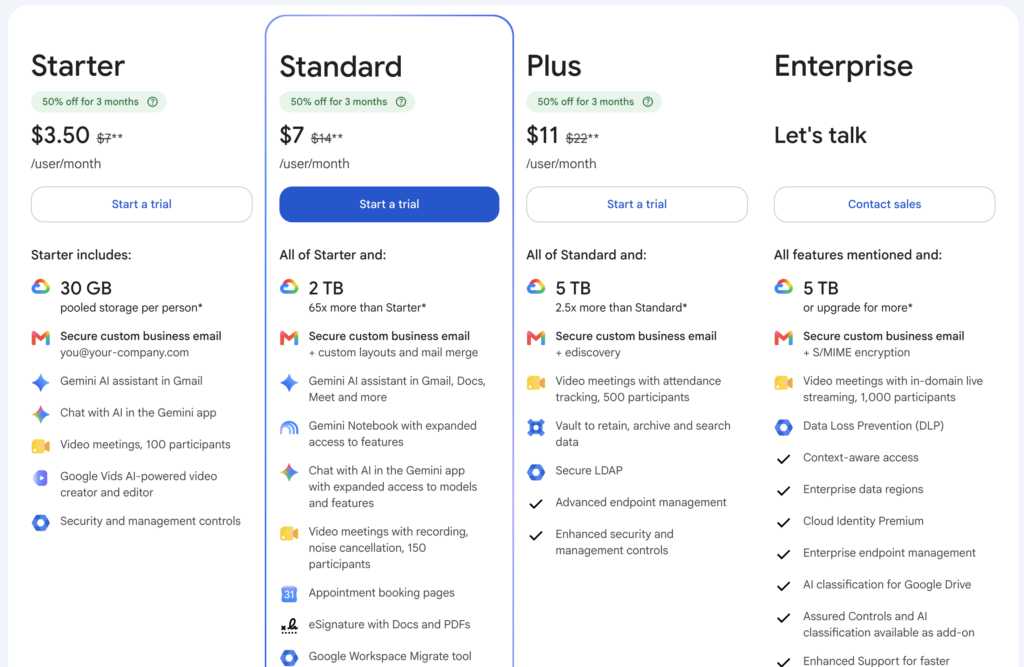
Google Forms is available to individual Google users without requiring the purchase of a dedicated survey subscription.
Businesses may instead access it within the broader Google Workspace ecosystem.
As of August 2026, Google’s standard listed U.S. pricing for annual-commitment Workspace plans is approximately:
| Google Workspace Plan | Standard Price |
|---|---|
| Business Starter | $7/user/month |
| Business Standard | $14/user/month |
| Business Plus | $22/user/month |
| Enterprise | Contact sales |
These prices are not simply for Google Forms.
Workspace subscriptions include a much broader collection of business services such as Gmail, Drive, Meet, Docs, Sheets, and administrative tools.
That makes the value equation very different.
A company already paying for Workspace effectively has Google Forms sitting inside its existing productivity environment.
SurveyMonkey Pricing
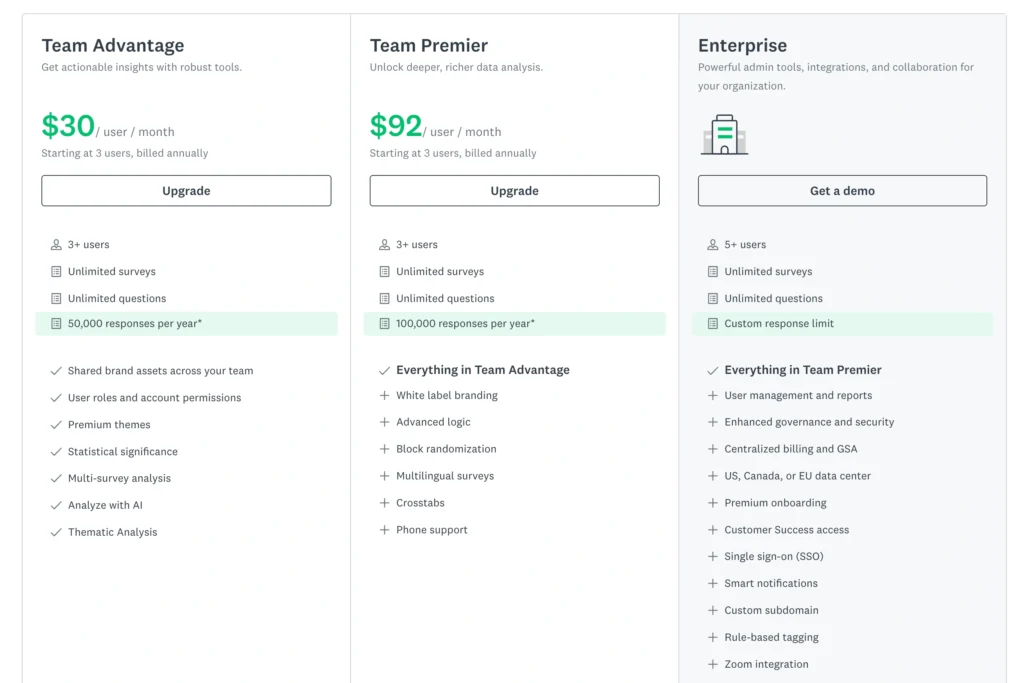
SurveyMonkey has a free Basic tier alongside individual, team, and Enterprise plans.
Current individual pricing includes options such as:
| SurveyMonkey Plan | Approximate Current Price | Key Positioning |
|---|---|---|
| Basic | Free | Simple surveys |
| Standard Monthly | $99/month | Flexible monthly subscription |
| Advantage Annual | $46/month, billed $552 annually | Advanced individual surveys |
| Team plans | Varies by tier | Collaboration and larger response allowances |
| Enterprise | Custom pricing | Security, administration and advanced organizational requirements |
SurveyMonkey’s Basic plan allows unlimited surveys but restricts functionality, including the number of questions per survey and accessible responses.
The current Basic offering allows up to 10 questions per survey.
Standard Monthly currently provides unlimited questions and up to 1,000 responses per month, along with features such as skip logic, exports, custom design, email invitations, and a large integration ecosystem.
Advantage Annual adds additional advanced functionality and a higher annual response allowance.
Higher Team and Enterprise tiers increase collaboration, analysis, branding, security, and administrative capabilities.
Which Offers Better Value?
This requires context.
For a simple survey, Google Forms provides much better value.
Paying hundreds of dollars annually just to collect basic employee feedback makes little financial sense when Google Forms can perform the job.
But price and value aren’t identical.
Imagine a company spending $100,000 on a new product launch.
If customer research influences that decision, spending several hundred dollars on stronger survey methodology and analysis may be trivial compared with the cost of making the wrong product decision.
So the better question isn’t:
“Which tool is cheaper?”
Google Forms clearly is.
The useful question is:
“How valuable is the research we’re conducting?”
If surveys are simply administrative tools, choose Google Forms.
If survey results influence significant business decisions, SurveyMonkey’s additional cost becomes easier to justify.
SurveyMonkey vs Google Forms: Pros and Cons
SurveyMonkey Pros
- Excellent survey functionality: Designed specifically for professional surveys rather than general data collection.
- Advanced logic: Strong branching, piping, randomization, quotas, and related tools on appropriate plans.
- Better analytics: More survey-specific reporting and filtering capabilities.
- Large template library: Paid plans provide hundreds of expert templates.
- Strong enterprise options: Suitable for large organizations requiring administration and governance.
- Professional branding: More customization options are available on higher plans.
- Research-oriented: Better suited to serious customer, employee, and market research.
SurveyMonkey Cons
- Can become expensive: Paid plans cost significantly more than basic form tools.
- Free plan is restrictive: Important functionality is reserved for paid tiers.
- More complex: Beginners may need time to understand advanced features.
- Overkill for simple forms: There is little reason to use an advanced platform for a basic RSVP form.
Google Forms Pros
- Extremely easy to use: Beginners can create forms quickly.
- Excellent value: Basic functionality is available without purchasing dedicated survey software.
- Great Google Sheets connection: Responses can flow directly into spreadsheets.
- Excellent Google ecosystem integration: Particularly convenient for Workspace users.
- Fast deployment: Ideal when you need a form immediately.
- Good collaboration: Uses familiar Google sharing workflows.
Google Forms Cons
- Limited advanced logic: Fine for simple branching but weaker for complex research.
- Basic survey analytics: Advanced analysis usually happens elsewhere.
- Limited visual customization: Professional branding controls are relatively modest.
- Smaller survey template ecosystem: SurveyMonkey offers considerably more survey-specific starting points.
- Not purpose-built for research teams: It is primarily a general-purpose form tool.
The X-Factor: What Does Each Tool Do Better?
Every software comparison eventually reaches a feature list where both products seem capable.
The more useful question is what each platform does uniquely well.
SurveyMonkey’s X-Factor: Survey Intelligence
SurveyMonkey’s biggest advantage is not one individual feature.
It is the way its features work together around the survey lifecycle.
You can design a questionnaire, control how respondents navigate it, apply research techniques, collect responses, segment results, analyze findings, and present those findings without immediately leaving the platform.
It feels like survey software because that is exactly what it is.
This becomes particularly valuable as research complexity increases.
Google Forms’ X-Factor: Frictionless Simplicity
Google Forms wins for almost the opposite reason.
There is very little friction.
You can open Forms, create questions, send the link, and watch responses appear in Google Sheets.
No procurement conversation.
No major learning curve.
No complicated implementation.
No need to justify buying another SaaS subscription for basic use cases.
That simplicity is incredibly valuable.
Google Forms understands that not every questionnaire needs to become a research project.
SurveyMonkey vs Google Forms: Which Is Better for Different Use Cases?
| Use Case | Better Choice |
|---|---|
| Simple customer feedback | Google Forms |
| Employee pulse survey | Google Forms |
| Detailed employee research | SurveyMonkey |
| Event registration | Google Forms |
| Classroom questionnaire | Google Forms |
| Academic research | SurveyMonkey |
| Basic lead form | Google Forms |
| Market research | SurveyMonkey |
| Customer satisfaction program | SurveyMonkey |
| Complex branching survey | SurveyMonkey |
| Quick internal poll | Google Forms |
| Enterprise feedback program | SurveyMonkey |
| Professional branded survey | SurveyMonkey |
| Google Sheets-heavy workflow | Google Forms |
| Budget-conscious startup | Google Forms |
Is SurveyMonkey Worth Paying for Over Google Forms?
This is probably the most important question in the entire comparison.
For many users, no.
If your requirements consist of creating basic questions, sharing forms, collecting responses, and analyzing them in a spreadsheet, Google Forms already solves the problem remarkably well.
SurveyMonkey becomes worth paying for when your requirements move from data collection to research.
For example, paying for SurveyMonkey starts making more sense when you need:
- Complex conditional logic
- Sophisticated respondent journeys
- Professional survey templates
- Advanced reporting
- Response segmentation
- Survey randomization
- Strong branding controls
- Enterprise survey administration
- Dedicated research workflows
- Specialized compliance arrangements
The more important the survey becomes to decision-making, the easier SurveyMonkey’s price becomes to justify.
Final Recommendation: SurveyMonkey or Google Forms?
SurveyMonkey and Google Forms overlap, but they aren’t really trying to be the same product.
Google Forms is a general-purpose data collection tool.
SurveyMonkey is a dedicated survey platform.
That distinction should guide your decision.
Choose Google Forms If…
Choose Google Forms if you:
- Need basic surveys and forms.
- Want the easiest possible interface.
- Already use Google Workspace.
- Work heavily in Google Sheets.
- Don’t need sophisticated survey analysis.
- Have a limited software budget.
- Mainly create internal forms, registrations, polls, or simple questionnaires.
For small businesses and individual users, Google Forms will often be all the survey software they need.
There is little reason to introduce an expensive platform if your requirements are already being met.
Choose SurveyMonkey If…
Choose SurveyMonkey if you:
- Conduct surveys regularly.
- Need advanced conditional logic.
- Run customer or market research.
- Need professional survey templates.
- Want stronger built-in analytics.
- Require advanced branding.
- Manage surveys across teams.
- Need sophisticated respondent segmentation.
- Run large employee or customer feedback programs.
- Require enterprise-level survey administration.
SurveyMonkey costs substantially more, but you are paying for a deeper research toolkit rather than simply a form builder.
Final Verdict
Google Forms is the better choice for simple surveys, small businesses, internal forms, educators, freelancers, and anyone prioritizing ease of use and affordability.
SurveyMonkey is the stronger choice for marketers, researchers, customer experience teams, HR departments, and enterprises that need sophisticated survey design and analysis.
If your goal is simply “I need people to answer these questions,” start with Google Forms.
If your goal is “I need reliable insights from these responses and want more control over how the research is conducted,” SurveyMonkey is the better platform.
| Final Category | Winner |
|---|---|
| Ease of Use | Google Forms |
| Free Usage | Google Forms |
| Survey Logic | SurveyMonkey |
| Templates | SurveyMonkey |
| Reporting & Analytics | SurveyMonkey |
| Google Ecosystem | Google Forms |
| Customization | SurveyMonkey |
| Professional Research | SurveyMonkey |
| Small Business Value | Google Forms |
| Enterprise Survey Management | SurveyMonkey |
| Overall Basic Forms | Google Forms |
| Overall Advanced Surveys | SurveyMonkey |
Ultimately, this isn’t a case where one product completely replaces the other.
Google Forms is impressive because it handles basic data collection with almost no friction or additional cost. SurveyMonkey earns its place when those basic questionnaires evolve into structured research programs where logic, methodology, reporting, branding, security controls, and analysis actually matter.
For occasional surveys, Google Forms is the practical choice.
For serious survey research, SurveyMonkey is the more capable platform.