SurveyMonkey and Jotform are often compared because both let you create online forms, collect responses, use conditional logic, customize designs, and connect collected data with other business tools.
But they are not really built around the same idea.
SurveyMonkey is primarily a survey and research platform. Jotform is a much broader online form builder designed to collect information, documents, payments, signatures, registrations, applications, and other structured data.
That distinction matters.
If you want to measure customer satisfaction across 5,000 customers, analyze results by demographic groups, compare responses, and create professional research reports, SurveyMonkey is usually the more natural choice.
If you want to build a client intake form that accepts payments, collects uploaded documents, captures an electronic signature, and automatically sends information into your business workflow, Jotform is likely to be more practical.
There is significant overlap between the two platforms. Jotform can certainly create surveys, while SurveyMonkey can handle many general feedback forms.
The real question, therefore, isn’t whether both platforms can perform a particular task.
It is which platform is designed to perform that task better.
This SurveyMonkey vs Jotform comparison looks closely at their interfaces, survey capabilities, conditional logic, templates, reporting, integrations, payments, security, collaboration, pricing, and target audiences to help you decide which one fits your workflow.
Executive Summary: SurveyMonkey vs Jotform at a Glance
The table below summarizes the biggest differences.
| Category | SurveyMonkey | Jotform |
|---|---|---|
| Primary purpose | Surveys and research | Forms and workflow automation |
| Best for | Feedback, research and analytics | Data collection and business forms |
| Ease of use | Very good | Excellent |
| Free plan | Yes | Yes |
| Templates | 500+ expert survey templates on applicable plans | 10,000+ form templates |
| Conditional logic | Excellent | Excellent |
| Survey analytics | Excellent | Good |
| General forms | Good | Excellent |
| Payment collection | Limited compared with Jotform | Excellent |
| Electronic signatures | Not a core strength | Excellent |
| File collection | Available for relevant survey use cases | Excellent |
| Form customization | Good | Excellent |
| Survey methodology | Excellent | Good |
| Workflow automation | Good | Excellent |
| Enterprise capabilities | Excellent | Excellent |
| Best for researchers | Excellent | Good |
| Best for small businesses | Good | Excellent |
| Best for lead forms | Good | Excellent |
The simplest way to understand the difference is:
SurveyMonkey helps businesses understand people. Jotform helps businesses collect information and turn it into workflows.
If surveys are the main reason you are buying software, SurveyMonkey has an advantage.
If forms are only one part of a larger business process, Jotform becomes extremely compelling.
Interface & Design Philosophy
The difference between the platforms becomes clear as soon as you start building something.
SurveyMonkey thinks in terms of surveys.
Jotform thinks in terms of forms.
Those sound almost identical, but the workflows can be very different.
SurveyMonkey Interface: Research Comes First
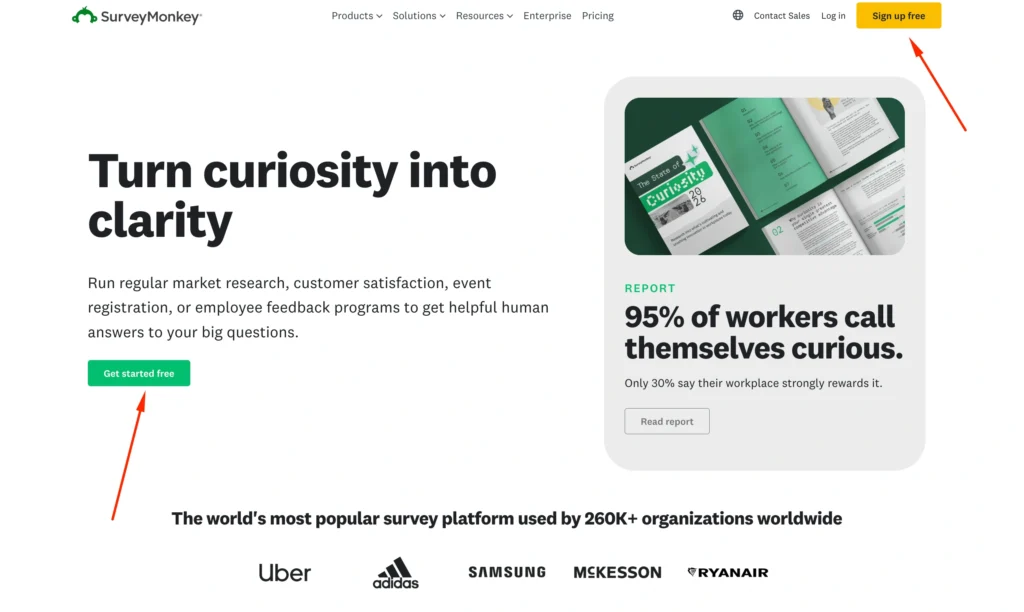
SurveyMonkey’s builder follows a fairly traditional survey workflow.
You select questions, organize pages, configure logic, customize the appearance, determine how responses will be collected, and then analyze the results.
The platform supports numerous question types and survey-specific capabilities.
It works particularly well for projects such as:
- Customer satisfaction surveys
- Employee engagement research
- Market research
- Product feedback
- Event feedback
- Academic questionnaires
- Net Promoter Score surveys
- Training evaluations
The interface contains more survey-specific controls than a basic form builder.
That creates a slight learning curve, but it also gives researchers considerably more control.
If you are building a complicated questionnaire with multiple respondent paths, randomization, quotas, and detailed analysis requirements, those additional controls become useful rather than overwhelming.
Jotform Interface: Drag, Drop and Build
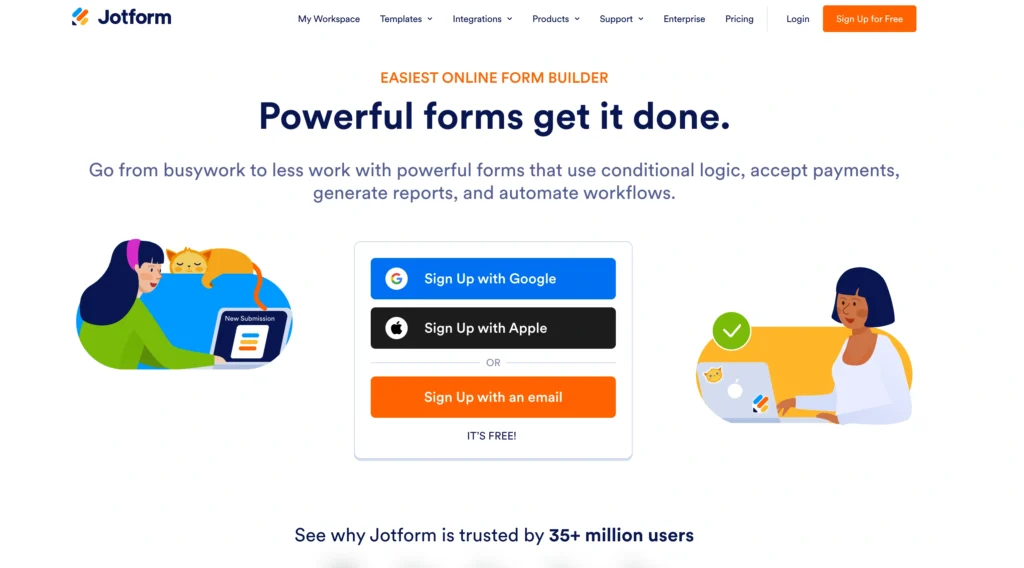
Jotform takes a more visual approach.
Its form builder allows users to drag elements into a form and configure them without needing technical knowledge.
You can build much more than surveys.
Examples include:
- Contact forms
- Job applications
- Registration forms
- Order forms
- Payment forms
- Medical intake forms
- Appointment forms
- Consent forms
- Lead generation forms
- Donation forms
- File upload forms
- Feedback surveys
- Quizzes
This versatility is central to Jotform’s appeal.
A small business might use one Jotform account to collect customer inquiries, another form to accept payments, another to onboard employees, and another to collect feedback.
The interface supports this broader philosophy.
Feature-by-Feature Battle
Both platforms are feature-rich.
The winner changes significantly depending on what type of form you are creating.
Conditional Logic & Branching
Conditional logic lets forms react to user responses.
For example:
Are you an existing customer?
If the answer is Yes, the form could display customer-support questions.
If the answer is No, it could display sales-related questions.
Both platforms handle these scenarios well.
SurveyMonkey Logic
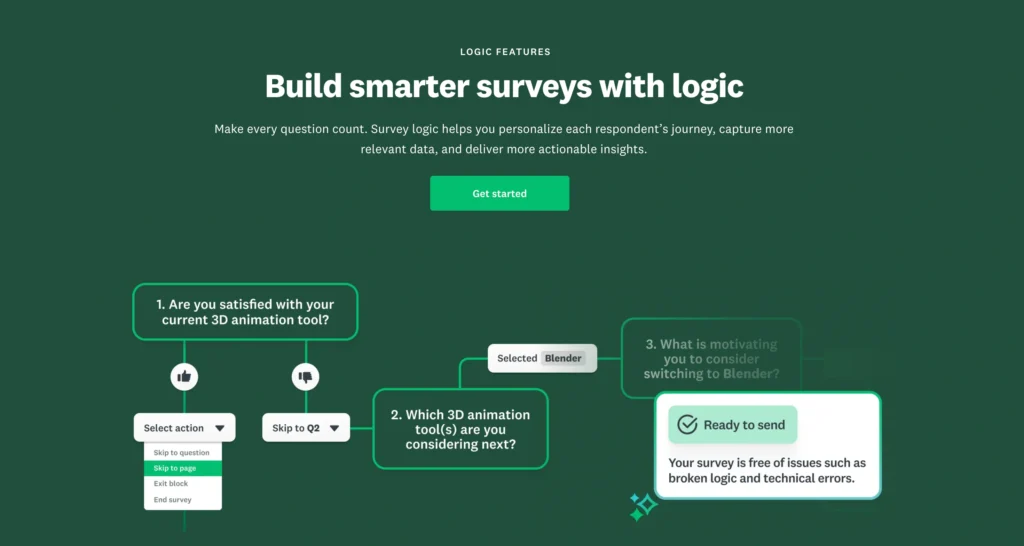
SurveyMonkey’s logic capabilities are designed around survey research.
Depending on your subscription, features can include:
- Skip logic
- Advanced branching
- Question piping
- Advanced piping
- Question randomization
- Page randomization
- A/B testing
- Response quotas
These features are particularly useful when designing large questionnaires.
Imagine surveying customers who use four different software products.
A respondent selecting Product A should see Product A questions.
Someone using Products A and C may need a different questionnaire path.
Respondents who give low satisfaction scores may receive follow-up questions asking why.
SurveyMonkey can handle these complex survey journeys.
Jotform Logic
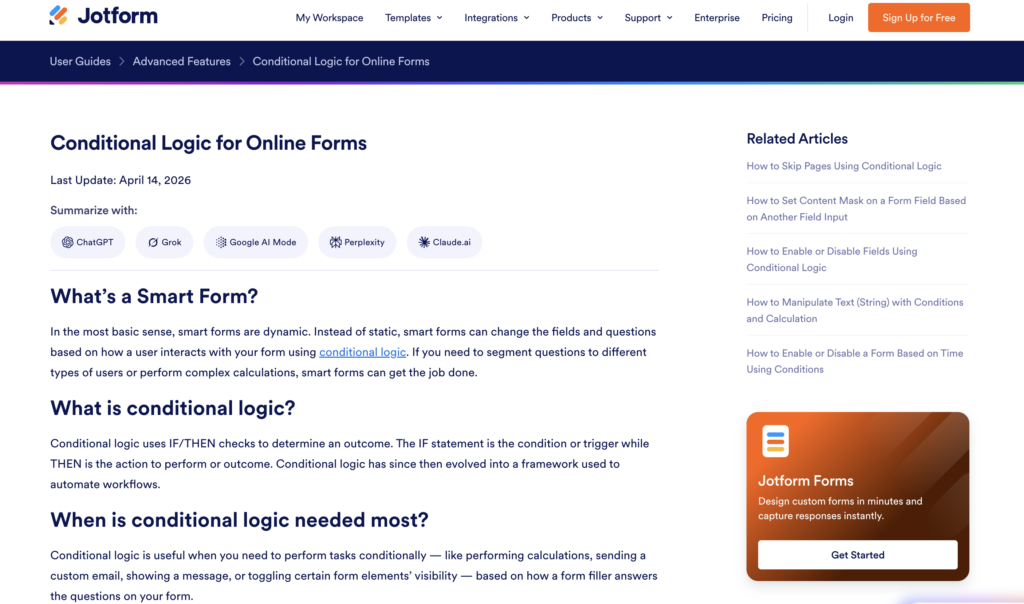
Jotform’s conditional logic is equally impressive, but the focus is broader.
You can create rules that determine what happens based on a user’s actions.
For example:
If a user selects “Business Account”:
Show company information fields.
If the order exceeds $500:
Apply a particular workflow.
If a customer selects a specific service:
Display relevant pricing fields.
If an applicant meets certain criteria:
Send the submission to a particular department.
This makes Jotform logic especially useful for operational workflows.
Conditional Logic Winner: Tie
Both platforms are excellent.
SurveyMonkey wins for research-oriented branching.
Jotform wins for operational form logic and workflow automation.
Data Export & Reporting
This is one area where SurveyMonkey has a clear advantage.
SurveyMonkey Reporting
SurveyMonkey isn’t simply designed to collect responses.
It is designed to help you understand them.
Depending on the plan, users can access tools for:
- Filtering responses
- Comparing groups
- Creating charts
- Crosstab analysis
- Exporting data
- Building custom reports
- Examining response trends
- Segmenting results
Consider a company that receives 15,000 responses to an annual customer satisfaction study.
Management doesn’t just need to know the average satisfaction score.
They may want to compare:
- US customers vs European customers
- Enterprise vs small-business customers
- New vs long-term customers
- Product A vs Product B customers
- Promoters vs detractors
SurveyMonkey is designed around this type of analysis.
Jotform Reporting
Jotform provides reporting and data-management tools, including visual report-building capabilities.
You can organize submissions and turn form data into reports.
For many business forms, this is more than enough.
The difference is emphasis.
Jotform reporting is primarily about making collected form data useful.
SurveyMonkey reporting goes deeper into survey analysis.
If your objective is to understand attitudes, satisfaction, preferences, or research patterns, SurveyMonkey has the advantage.
Reporting Winner: SurveyMonkey
SurveyMonkey wins for survey analytics and research reporting.
Jotform’s reporting is useful, but research isn’t the primary purpose of the platform.
Template Library
This is where Jotform becomes difficult to beat.
SurveyMonkey Templates
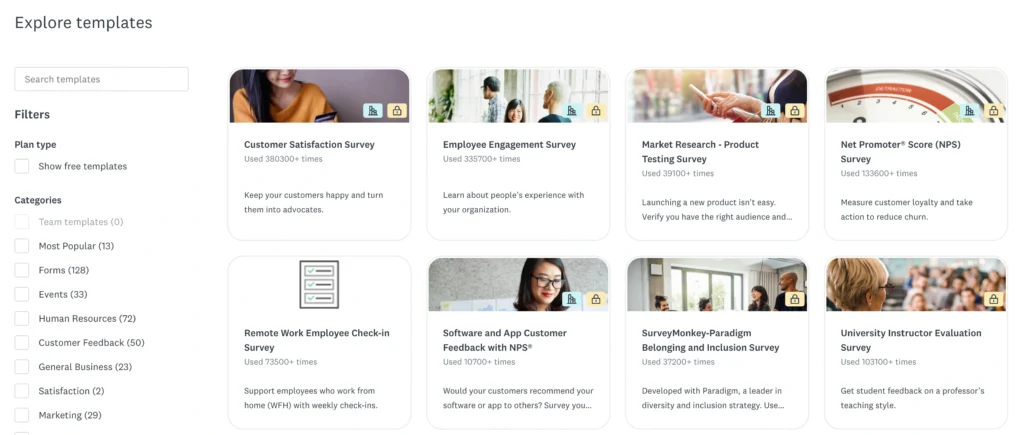
SurveyMonkey provides hundreds of expert survey templates on applicable plans.
Popular categories include:
- Customer satisfaction
- Employee engagement
- Human resources
- Market research
- Education
- Events
- Healthcare
- Product feedback
- Marketing
- Nonprofits
The emphasis is quality and research relevance.
A company wanting to measure employee engagement can start with a questionnaire designed around that specific objective.
Jotform Templates
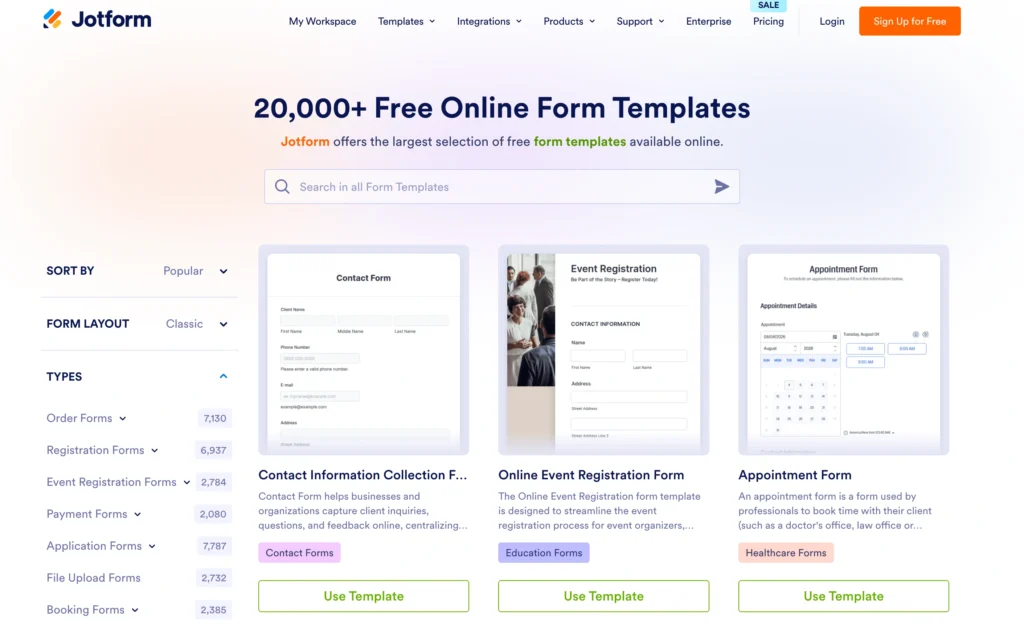
Jotform offers more than 10,000 templates, covering an enormous range of use cases.
Categories include:
- Application forms
- Booking forms
- Consent forms
- Contact forms
- Donation forms
- Feedback forms
- Healthcare forms
- Order forms
- Payment forms
- Registration forms
- Request forms
- Surveys
- Signup forms
- File upload forms
This enormous selection is one of Jotform’s strongest advantages.
A restaurant, school, doctor, consultant, ecommerce store, agency, nonprofit, or real estate company can usually find a template relatively close to what it needs.
Form Types and Flexibility
This category exposes one of the biggest differences.
What Can You Build With SurveyMonkey?
SurveyMonkey excels at:
- Customer surveys
- Employee surveys
- Market research
- Product research
- Event surveys
- NPS questionnaires
- Academic surveys
- Polls
- Feedback forms
There are other possibilities, but surveys remain the core experience.
What Can You Build With Jotform?
Jotform can handle all kinds of data collection.
You could create:
- Online applications
- Contracts
- Registration systems
- Product orders
- Payment forms
- Appointment requests
- Client intake forms
Electronic Signatures and Documents
Jotform also has a significant advantage here.
Through its broader product ecosystem, including Jotform Sign, businesses can collect electronic signatures and create document-oriented workflows.
This can be useful for:
- Contracts
- Consent forms
- Agreements
- Waivers
- Employee documents
- Client onboarding
- Approval workflows
SurveyMonkey isn’t built primarily around this use case.
Electronic Signature Winner: Jotform
For document-heavy workflows, Jotform is the better platform.
Integrations & Automation
Both platforms offer extensive integration capabilities.
SurveyMonkey Integrations
SurveyMonkey can connect survey data with tools used across:
- CRM
- Marketing
- Collaboration
- Analytics
- Productivity
- Customer support
- Automation
This is particularly useful when feedback needs to flow into another system.
For example, a low customer satisfaction score could trigger a customer success workflow.
Jotform Integrations
Jotform also has an extensive integration ecosystem.
Its broader form functionality makes these integrations particularly powerful.
You can connect form submissions to:
- Payment processors
- CRM systems
- Cloud storage
- Email marketing software
- Productivity applications
- Project management tools
- Automation platforms
A submission can become the trigger for an entire business process.
Collaboration & Team Management
SurveyMonkey Collaboration
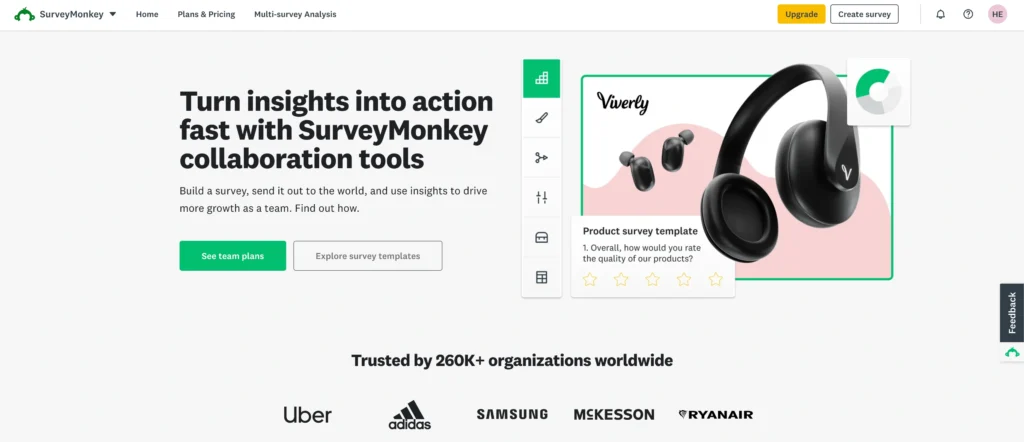
SurveyMonkey’s Team and Enterprise plans support collaborative survey creation and management.
Organizations can use shared assets and administrative controls to standardize survey programs.
This works particularly well when multiple departments conduct research.
Jotform Collaboration
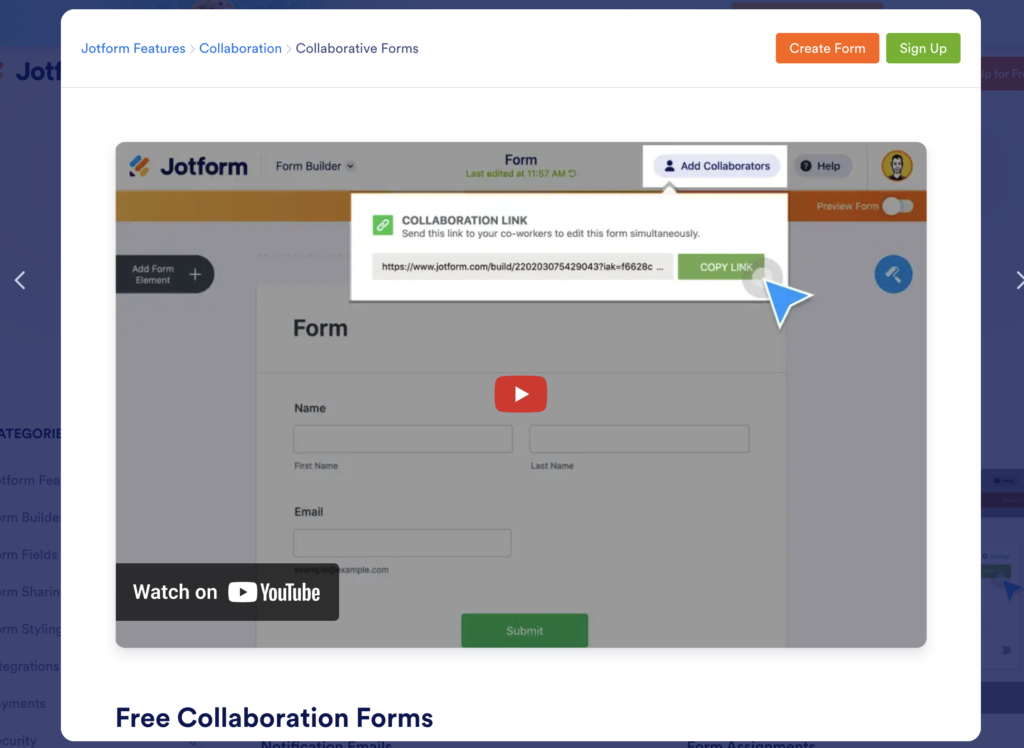
Jotform supports team-oriented workflows and provides organizational products designed for companies managing multiple users, forms, data, and business processes.
Because Jotform can support so many operational workflows, collaboration extends beyond survey creation.
For example:
Marketing might manage lead forms.
HR might manage employee applications.
Finance could manage payment forms.
Operations could manage internal requests.
Pricing Comparison: SurveyMonkey vs Jotform
Pricing is important because the two companies structure their products differently.
SurveyMonkey Pricing
SurveyMonkey offers free, individual, team, and Enterprise options.
| SurveyMonkey Plan | Approximate Price | Best For |
|---|---|---|
| Basic | Free | Basic surveys |
| Standard Monthly | Around $99/month | Individual monthly use |
| Advantage Annual | Around $46/month billed annually | Regular survey creators |
| Team Plans | Varies | Survey collaboration |
| Enterprise | Custom | Large organizations |
SurveyMonkey’s free plan is relatively restrictive.
Users conducting serious research will probably need a paid subscription.
Jotform Pricing
Jotform generally organizes its standard plans around limits such as forms, submissions, storage, payment submissions, and other usage allowances.
| Jotform Plan | Approximate Positioning | Best For |
|---|---|---|
| Starter | Free | Testing and light use |
| Bronze | Entry paid tier | Individuals and small businesses |
| Silver | Mid-level paid tier | Growing businesses |
| Gold | Higher usage tier | High-volume users |
| Enterprise | Custom | Organizations |
Exact pricing can vary by billing cycle, region, and promotions, so businesses should compare current rates before purchasing.
The more important consideration is what you’re paying for.
SurveyMonkey pricing revolves heavily around survey capabilities and responses.
Jotform pricing revolves around a broader form and submission ecosystem.
Which Offers Better Value?
For most small businesses, Jotform offers better overall versatility.
One platform can potentially replace several separate tools.
You can create forms, accept payments, collect signatures, receive files, generate reports, and automate workflows.
SurveyMonkey provides better value when survey research itself has substantial business value.
If a customer study influences a million-dollar product decision, sophisticated survey analysis is far more valuable than the ability to accept a payment through a form.
SurveyMonkey vs Jotform: Pros and Cons
SurveyMonkey Pros
- Excellent survey capabilities: Built specifically for professional feedback and research.
- Advanced survey logic: Strong branching and respondent controls.
- Better analytics: Excellent survey-specific analysis.
- Professional templates: Strong research-focused template collection.
- Enterprise capabilities: Suitable for large survey programs.
- Research methodology tools: Useful for sophisticated questionnaires.
- Strong security: Appropriate options for enterprise environments.
SurveyMonkey Cons
- Can be expensive: Serious functionality requires paid plans.
- Limited outside surveys: Less versatile than Jotform.
Jotform Pros
- Extremely versatile: Handles almost every common form use case.
- Huge template library: More than 10,000 templates.
- Excellent form builder: Drag-and-drop creation is easy.
- Payment support: Strong payment-form functionality.
Jotform Cons
- Less research-focused: SurveyMonkey offers deeper survey methodology.
- Analytics aren’t as sophisticated: Professional researchers may need more.
- Usage limits matter: Forms, submissions, storage, and other allowances vary by plan.
SurveyMonkey vs Jotform: Which Is Better by Use Case?
| Use Case | Better Choice |
|---|---|
| Customer satisfaction | SurveyMonkey |
| Market research | SurveyMonkey |
| Employee engagement | SurveyMonkey |
| Academic research | SurveyMonkey |
| Registration forms | Jotform |
| Payment forms | Jotform |
| Job applications | Jotform |
| Client intake | Jotform |
| Electronic signatures | Jotform |
| File collection | Jotform |
| Professional survey analytics | SurveyMonkey |
| Lead generation | Jotform |
| Order forms | Jotform |
| Healthcare research | SurveyMonkey |
| Patient intake | Jotform |
| Event feedback | SurveyMonkey |
| Event registration | Jotform |
| Workflow automation | Jotform |
| Enterprise survey program | SurveyMonkey |
Is SurveyMonkey Better Than Jotform?
SurveyMonkey is better if surveys are your primary requirement.
Researchers will appreciate its stronger analysis, survey methodology, branching capabilities, and reporting.
The more sophisticated your research becomes, the more noticeable SurveyMonkey’s advantage becomes.
But SurveyMonkey isn’t necessarily the better general-purpose form builder.
That’s where Jotform shines.
Final Recommendation: SurveyMonkey or Jotform?
Your decision should depend primarily on what happens after someone submits the form.
Choose SurveyMonkey If…
Choose SurveyMonkey if you:
- Conduct professional market research.
- Run customer satisfaction surveys.
- Need sophisticated survey analytics.
- Conduct employee engagement research.
- Need advanced survey branching.
- Want professional research templates.
- Need to compare respondent segments.
- Manage large feedback programs.
- Need survey-specific enterprise controls.
- Treat survey data as business intelligence.
SurveyMonkey remains the better specialist tool for organizations where surveys directly influence decisions.
Choose Jotform If…
Choose Jotform if you:
- Build many different types of forms.
- Accept online payments.
- Collect electronic signatures.
- Need customer intake forms.
- Manage registrations.
Final Verdict
SurveyMonkey vs Jotform isn’t simply a battle between two survey builders.
They solve different problems.
SurveyMonkey is a research platform that can create forms.
Jotform is a form and workflow platform that can create surveys.
That distinction explains most of the category winners.
| Category | Winner |
|---|---|
| Ease of Use | Jotform |
| General Form Building | Jotform |
| Survey Creation | SurveyMonkey |
| Survey Analytics | SurveyMonkey |
| Research Features | SurveyMonkey |
| Template Variety | Jotform |
| Conditional Logic | Tie |
| Payment Forms | Jotform |
| Electronic Signatures | Jotform |
| File Collection | Jotform |
| Workflow Automation | Jotform |
| Market Research | SurveyMonkey |
| Employee Research | SurveyMonkey |
| Customer Intake | Jotform |
| Enterprise Surveys | SurveyMonkey |
| Small Business Versatility | Jotform |
| Research Reporting | SurveyMonkey |
For researchers, HR teams, customer experience departments, and organizations running serious survey programs, SurveyMonkey is the better choice.
For small businesses, agencies, healthcare practices, service businesses, operations teams, and companies needing forms for many different purposes, Jotform is usually more versatile.
If your main question is “What do our customers or employees think?”, choose SurveyMonkey.
If your question is “How can we collect this information and turn it into a business process?”, choose Jotform.