SurveyMonkey and Qualtrics are two of the biggest names in online surveys, but comparing them purely as survey builders misses a large part of the story.
Both platforms can create detailed questionnaires, apply branching logic, collect thousands of responses, analyze results, and support large organizations.
The difference is in how far each platform goes.
SurveyMonkey is primarily a powerful, accessible survey platform built for collecting feedback and conducting research. Qualtrics is a broader enterprise experience management platform designed to connect customer, employee, brand, product, and research data across an organization.
For many businesses, SurveyMonkey is easier to buy, easier to learn, and easier to deploy.
Qualtrics becomes more attractive when survey data is only one part of a much larger customer experience, employee experience, or research program.
Think about it this way.
A marketing manager who wants to survey 5,000 customers about a new product can comfortably use SurveyMonkey.
A multinational company trying to connect customer satisfaction surveys, call-center feedback, digital experience data, employee engagement, brand research, and location-level performance into one experience management system is much closer to Qualtrics territory.
That additional depth comes with considerably more complexity.
So, which one should you choose?
This SurveyMonkey vs Qualtrics comparison looks at interface, survey logic, reporting, templates, AI, research capabilities, customer experience, employee experience, integrations, security, pricing, and target audience to determine where each platform performs best.
Executive Summary: SurveyMonkey vs Qualtrics at a Glance
Here is a quick overview before we get into the details.
| Category | SurveyMonkey | Qualtrics |
|---|---|---|
| Primary focus | Surveys, forms and research | Enterprise experience management |
| Best for | Businesses, researchers and survey teams | Large enterprises and sophisticated research programs |
| Ease of use | Excellent | Good |
| Learning curve | Moderate | High |
| Free option | Yes | Limited/free options may vary by product |
| Survey creation | Excellent | Excellent |
| Advanced survey logic | Excellent | Excellent |
| Research capabilities | Excellent | Exceptional |
| Reporting | Excellent | Exceptional |
| Customer experience management | Good | Exceptional |
| Employee experience | Strong | Exceptional |
| Brand research | Strong | Exceptional |
| AI capabilities | Strong | Very advanced |
| Enterprise administration | Excellent | Exceptional |
| Security & compliance | Excellent | Exceptional |
| Transparent pricing | Better | Limited |
| Small business suitability | Excellent | Poor to moderate |
| Enterprise suitability | Excellent | Exceptional |
| Setup complexity | Relatively low | High |
| Overall value for standard surveys | Excellent | Often excessive |
| Overall value for enterprise XM | Good | Excellent |
The simplest explanation is:
SurveyMonkey is easier survey software. Qualtrics is a much larger experience management system that includes sophisticated survey technology.
If you primarily need surveys, SurveyMonkey will often be enough.
If you are building an organization-wide customer experience, employee experience, or research operation, Qualtrics can go significantly further.
Interface & Design Philosophy
Both platforms can create sophisticated surveys, but their interfaces reflect very different philosophies.
SurveyMonkey: Powerful Without Feeling Overwhelming
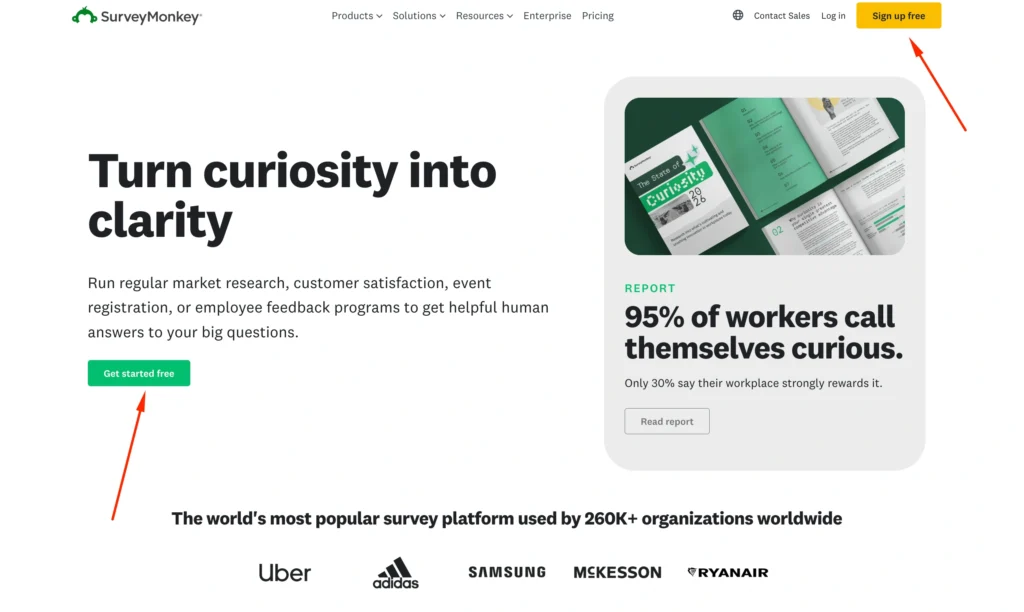
SurveyMonkey has spent years refining a survey-building experience that works for beginners while still offering advanced capabilities.
The basic workflow is straightforward:
- Create a survey.
- Select questions.
- Configure logic.
- Customize the design.
- Choose how to distribute it.
- Collect responses.
- Analyze results.
Most business users can understand the basics without formal training.
SurveyMonkey offers more than 25 question types and hundreds of expert templates on applicable plans, which makes it practical for users who want to get a professional survey running quickly.
It works particularly well for:
- Customer satisfaction surveys
- Employee surveys
- Market research
- Product feedback
- Event feedback
- Training evaluations
- Academic studies
- Polls
- Forms
- NPS-style surveys
Advanced functionality is available when needed, but it does not dominate the experience.
That balance is one of SurveyMonkey’s biggest advantages.
Qualtrics: Built Like an Enterprise Research Platform
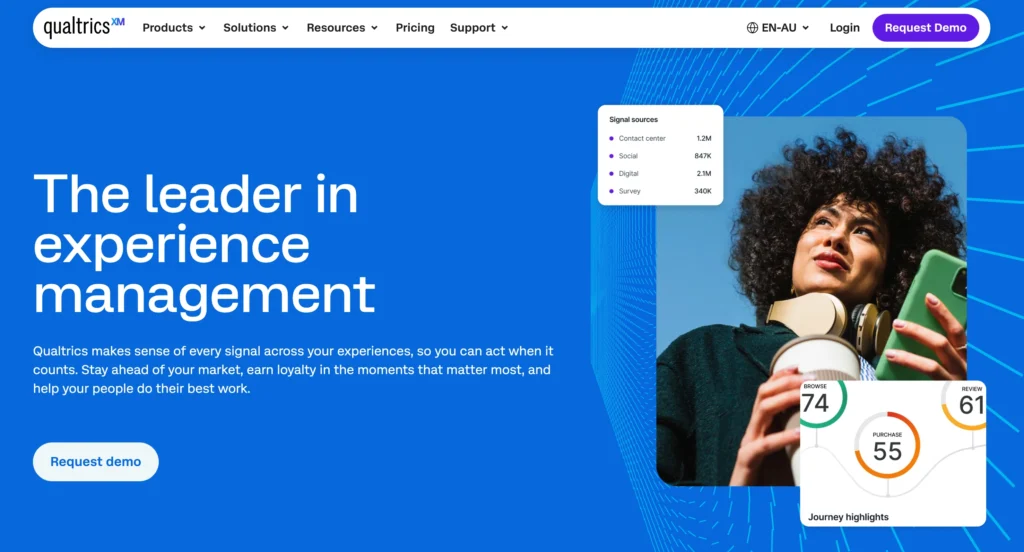
Qualtrics operates on another level of complexity.
Its survey builder can certainly create a simple customer satisfaction survey, but doing only that is similar to buying enterprise analytics software just to create a bar chart.
Qualtrics is designed around larger programs involving multiple data sources, audiences, dashboards, workflows, departments, and business processes.
Users can configure highly sophisticated questionnaires and then connect survey results with broader experience-management programs.
That flexibility comes with a cost.
There are considerably more settings, workflows, variables, and advanced capabilities to understand.
A new user may need training before taking full advantage of the platform.
Interface Winner: SurveyMonkey
For usability, SurveyMonkey wins.
It provides an excellent balance between sophistication and accessibility.
Qualtrics is more powerful in several areas, but greater power also means greater complexity.
For most users, SurveyMonkey is quicker to learn and easier to manage.
Feature-by-Feature Battle
SurveyMonkey Logic
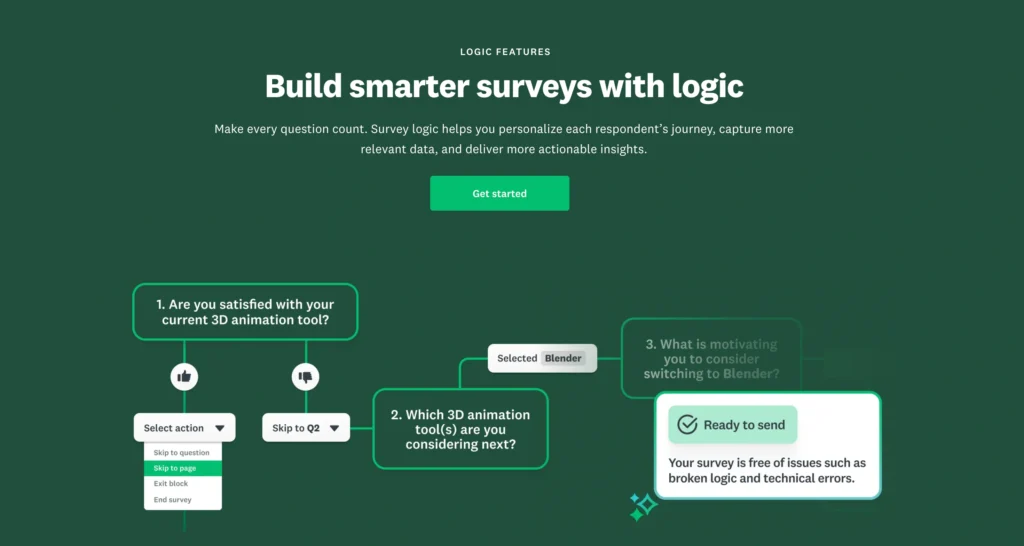
SurveyMonkey provides increasingly sophisticated logic as you move through its paid plans.
Capabilities can include:
- Skip logic
- Question logic
- Advanced branching
- Question piping
- Advanced piping
- Question randomization
- Page randomization
- Response quotas
- A/B testing
Its Advantage plan adds capabilities such as response quotas, question and page randomization, and A/B testing, while higher tiers introduce tools such as advanced branching and piping.
That is enough for many professional research projects.
A business could create different survey paths based on location, customer type, subscription plan, satisfaction level, or previous answers.
Qualtrics Logic
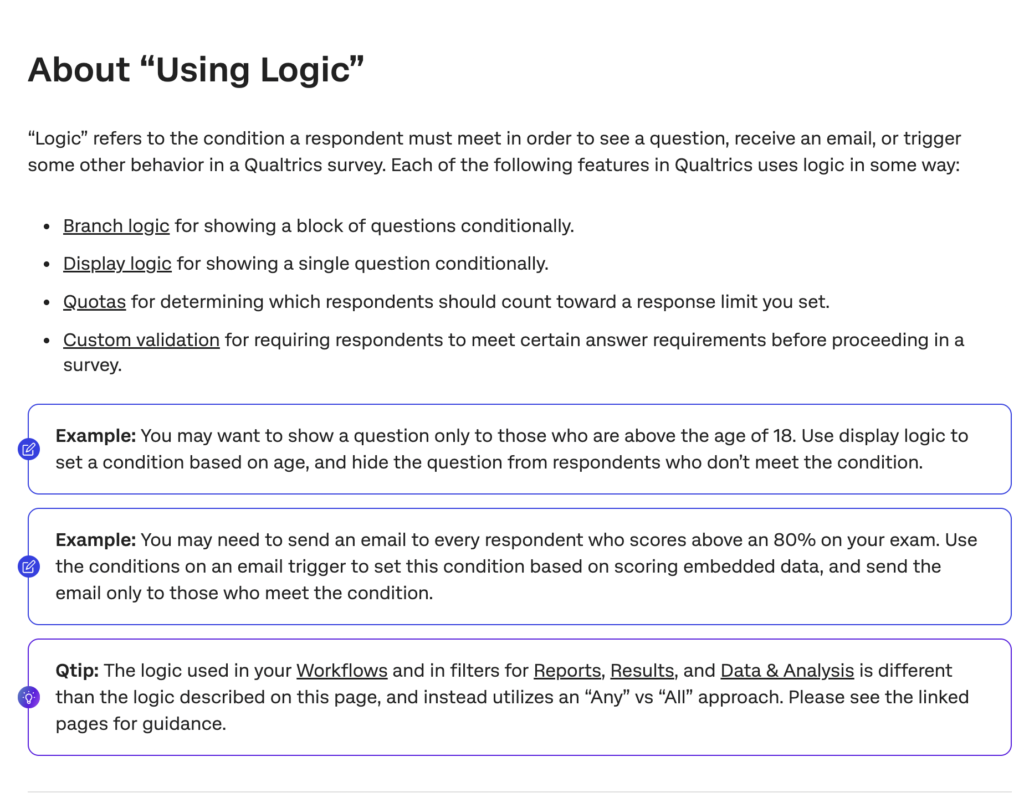
Qualtrics also provides sophisticated survey flow and branching capabilities.
Where it becomes particularly powerful is when logic connects with embedded data, contact information, workflows, scoring, randomization, and advanced research methodologies.
A Qualtrics project can be designed around far more than simply:
If answer = A, show Question 5.
You can construct elaborate survey journeys involving multiple conditions and data sources.
This makes Qualtrics particularly attractive for:
- Large academic studies
- Enterprise customer research
- Product research
- Complex conjoint studies
- Employee research
- Brand studies
- Multi-market research programs
Data Export & Reporting
Reporting is one of the most important differences between basic survey software and serious research platforms.
Both products perform well.
Qualtrics goes further.
SurveyMonkey Reporting
SurveyMonkey provides strong built-in analysis capabilities.
Depending on your plan, users can:
- Filter responses
- Compare groups
- Create charts
- Export data
- Build reports
- Analyze response patterns
- Create crosstabs
- Segment respondents
- Share findings
Higher-level plans substantially expand analytical functionality.
For most customer research, employee feedback, and market research projects, SurveyMonkey provides enough reporting power without forcing users into a separate analytics environment.
Its Team Premier plan, for example, currently supports up to 100,000 responses per year and includes advanced analysis capabilities alongside unlimited surveys and questions.
Qualtrics Reporting
Qualtrics is designed for much larger and more sophisticated analytics environments.
The platform’s dashboards can bring together experience data from multiple sources and distribute insights across an organization.
Instead of asking:
“What percentage of respondents selected option A?”
A large organization may ask:
“Which combination of service issues, locations, customer segments, digital behaviors, and employee factors is driving churn?”
That is where Qualtrics becomes powerful.
Its current platform is divided into major suites including:
- Customer Experience
- Employee Experience
- Strategy & Research
Its Customer Experience tools combine surveys, dashboards, digital feedback, contact-center data, and AI-guided recommendations.
This is far beyond ordinary survey reporting.
Template Library
Templates make survey creation faster and can help inexperienced users ask better questions.
SurveyMonkey Templates
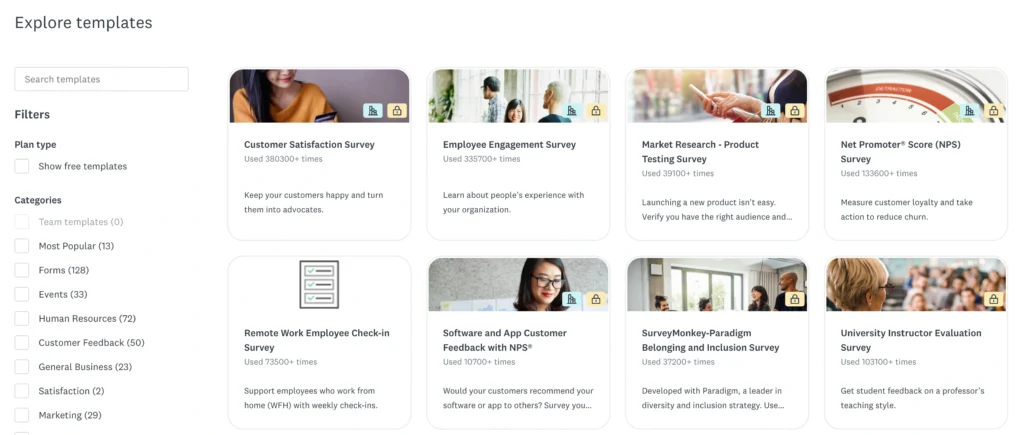
SurveyMonkey offers 500+ expert templates on applicable plans.
These cover use cases including:
- Customer satisfaction
- Market research
- Employee engagement
- Human resources
- Events
- Healthcare
- Education
- Marketing
- Product research
- Nonprofits
SurveyMonkey does particularly well here because the templates are easy to find and approachable for non-researchers.
Qualtrics Templates
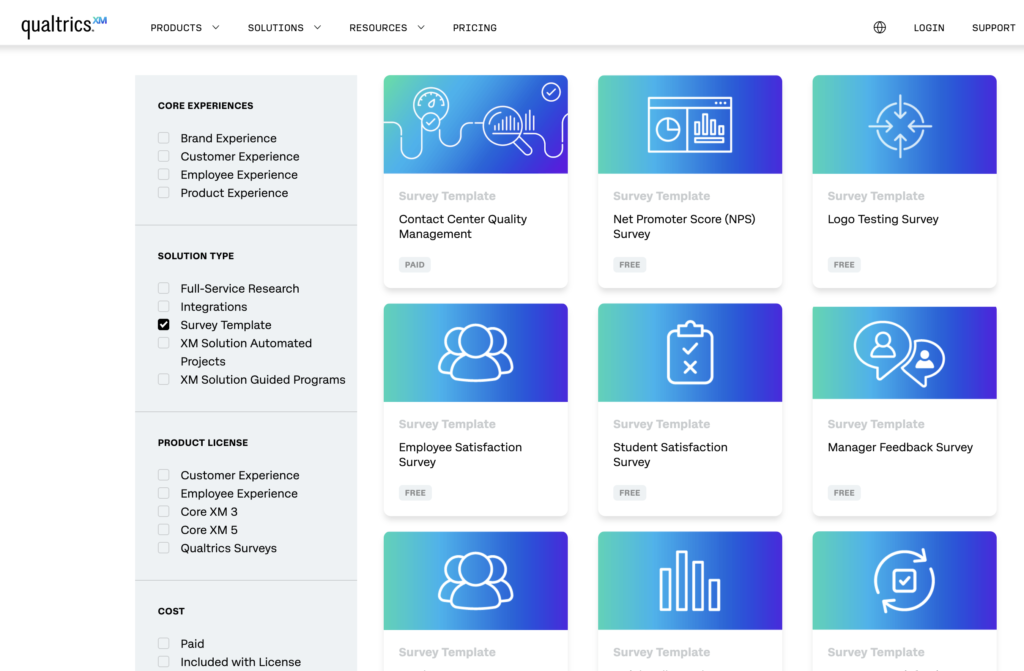
Qualtrics also provides professional survey and program templates, particularly around customer experience, employee experience, and research.
Qualtrics templates fit naturally into more sophisticated research programs.
That makes them valuable for experienced research teams, although beginners may find SurveyMonkey easier to navigate.
Template Winner: SurveyMonkey
For accessibility and quick deployment, SurveyMonkey gets the advantage.
For sophisticated enterprise research programs, Qualtrics remains extremely capable, but SurveyMonkey’s template experience is easier for a wider audience.
Integrations and Enterprise Workflows
A survey rarely operates alone in a large organization.
Survey information may need to flow into CRM, support, analytics, HR, or marketing systems.
SurveyMonkey Integrations
SurveyMonkey supports a large ecosystem of integrations and APIs.
This allows businesses to incorporate feedback into existing workflows.
For example:
A customer leaves a poor satisfaction score.
That response can potentially trigger a follow-up workflow involving a customer success team.
This is valuable without requiring organizations to adopt a complete experience-management architecture.
Qualtrics Integrations
Qualtrics takes integration further because its entire platform is designed around connecting experience data with business operations.
The goal isn’t simply collecting responses.
It is using experience signals to influence actions across the organization.
This makes Qualtrics particularly powerful in complex enterprises with CRM systems, HR platforms, service environments, contact centers, and analytics infrastructure.
SurveyMonkey vs Qualtrics: Pros and Cons
SurveyMonkey Pros
- Excellent ease of use: Easier to learn than Qualtrics.
- Powerful survey builder: Suitable for basic and advanced research.
- Strong analytics: More than enough for most business surveys.
- 500+ expert templates: Useful for quickly launching professional surveys.
- Advanced logic: Supports branching, piping, randomization, and quotas on applicable plans.
- More transparent pricing: Easier to understand costs.
- Strong security: SOC 2, ISO 27001, GDPR and Enterprise HIPAA options.
- Works for smaller organizations: You don’t need an enterprise implementation.
SurveyMonkey Cons
- Lower enterprise ceiling: Qualtrics can handle much broader experience-management programs.
- Less sophisticated CX infrastructure: It isn’t a direct replacement for the full Qualtrics ecosystem.
Qualtrics Pros
- Exceptional enterprise capability: Built for large organizations.
- Advanced research tools: Excellent for sophisticated research teams.
- Powerful analytics: Handles complex experience data.
- Strong customer experience platform: One of its biggest advantages.
Qualtrics Cons
- Complex: Considerably more difficult to learn than SurveyMonkey.
- Pricing isn’t transparent: Most serious buyers need to contact sales.
- Overkill for simple surveys: Many businesses will never use most of its capabilities.
- Implementation can require more resources: Enterprise programs may involve training, configuration, and governance.
SurveyMonkey vs Qualtrics: Which Is Better by Use Case?
| Use Case | Better Choice |
|---|---|
| Simple survey | SurveyMonkey |
| Customer satisfaction survey | SurveyMonkey |
| Market research | Qualtrics |
| Basic employee survey | SurveyMonkey |
| Enterprise employee experience | Qualtrics |
| Academic research | Qualtrics |
| Product feedback | SurveyMonkey |
| Enterprise CX program | Qualtrics |
| NPS survey | SurveyMonkey |
| Brand tracking | Qualtrics |
| Contact-center experience analytics | Qualtrics |
| Quick customer poll | SurveyMonkey |
| Large multinational research program | Qualtrics |
| Small business surveys | SurveyMonkey |
| Research team | Qualtrics |
| Enterprise experience management | Qualtrics |
| Affordable professional surveys | SurveyMonkey |
| Highly regulated enterprise environment | Qualtrics |
Final Verdict
SurveyMonkey vs Qualtrics is not really a question of which platform can create a better five-question customer survey.
Both can easily do that.
The difference appears when the scale and complexity increase.
| Category | Winner |
|---|---|
| Ease of Use | SurveyMonkey |
| Quick Survey Creation | SurveyMonkey |
| Templates | SurveyMonkey |
| Advanced Survey Logic | Qualtrics |
| Research Capabilities | Qualtrics |
| Analytics | Qualtrics |
| Customer Experience | Qualtrics |
| Employee Experience | Qualtrics |
| Brand Research | Qualtrics |
| Enterprise Security | Qualtrics |
| Pricing Transparency | SurveyMonkey |
| Small Business | SurveyMonkey |
| Mid-Sized Businesses | SurveyMonkey |
| Professional Researchers | Qualtrics |
| Large Enterprises | Qualtrics |
| Ease of Deployment | SurveyMonkey |
| Enterprise Experience Management | Qualtrics |
| Value for Standard Surveys | SurveyMonkey |
For most small businesses, midsize companies, marketers, HR teams, product managers, and organizations primarily running surveys, SurveyMonkey is the more practical choice.
For large enterprises, sophisticated research teams, CX departments, employee experience teams, and organizations building company-wide experience-management programs, Qualtrics is the stronger platform.
So the final decision is fairly straightforward.
Choose SurveyMonkey when you need powerful surveys without unnecessary complexity.